Create and share Saved Reports
Overview
Section titled “Overview”Saved Reports stores reusable report definitions rather than frozen copies of all source data. Opening or exporting a report evaluates the current viewer’s access and current records.
Purpose
Section titled “Purpose”Reuse a consistent sales question and share its definition with the appropriate audience.
Prerequisites
Section titled “Prerequisites”-
Saved-report create/edit access.
-
View access to the source module; export access to both the report and source when exporting.
-
An eligible team for team sharing.
Procedure
Section titled “Procedure”-
Open Insights > Saved Reports and select Create report.
-
Choose the report type and name. Configure the available filters, columns, sorting and grouping for the question.
-
Choose Private, Team or Organization visibility as permitted. Select a team when using Team visibility.
-
Select Preview report and inspect both detail rows and grouped totals. This preview has not yet saved the definition.
-
Save the report, reopen it and verify the result. Use Duplicate when adapting a shared definition for a different question.
-
Use Export report CSV when permitted. Review the selected definition and limits before distributing the extract.
Expected result
Section titled “Expected result”The report definition is saved and available to its intended audience without expanding record access.
Screenshots and diagrams
Section titled “Screenshots and diagrams”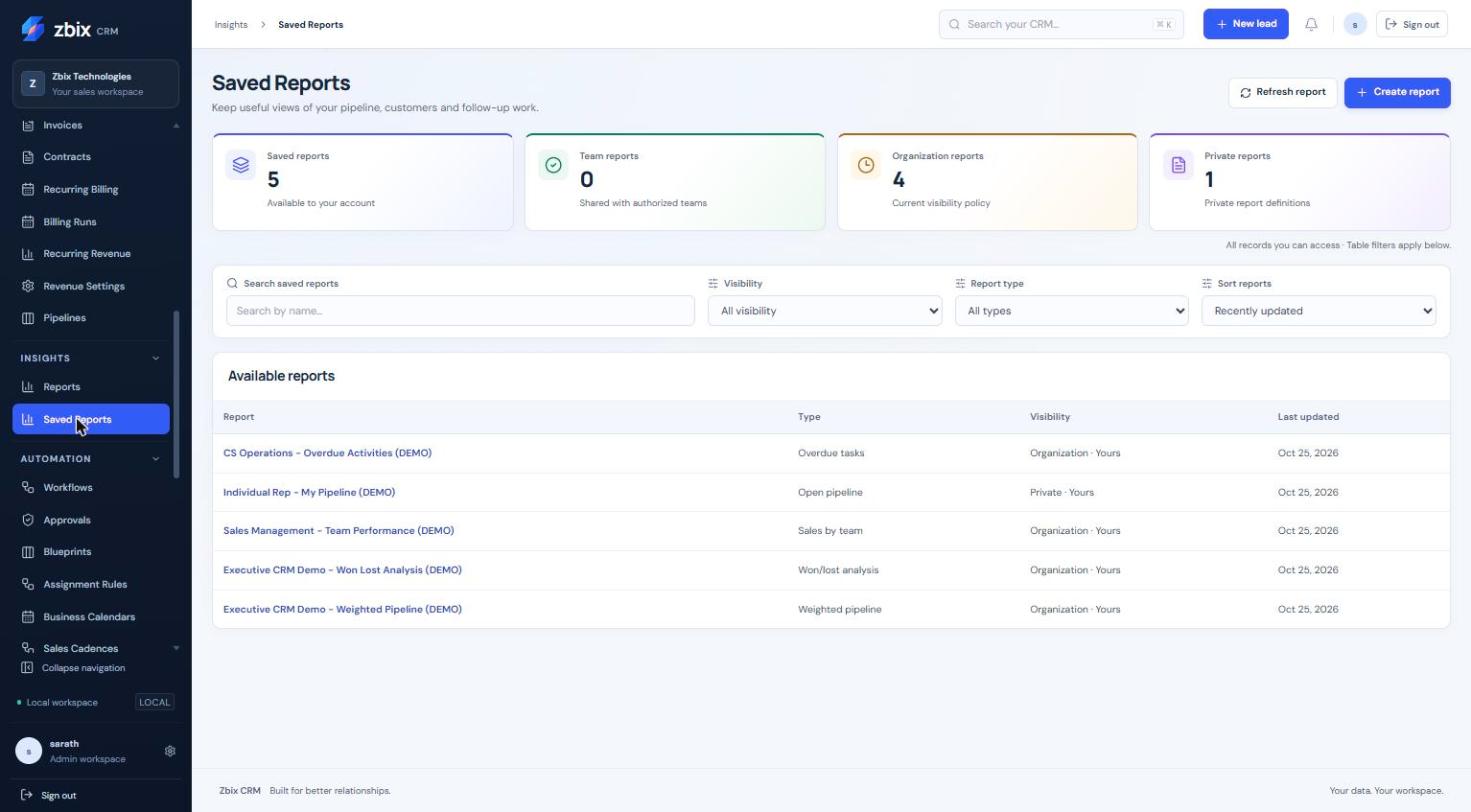
Important notes
Section titled “Important notes”-
The demonstration library includes overdue tasks, open pipeline, team performance, won/lost and weighted pipeline definitions.
-
A shared report can yield different data for different viewers because visibility is enforced again.
-
Report edits use version checks. A duplicate starts as a private copy.
Troubleshooting
Section titled “Troubleshooting”-
Sharing option unavailable: check the current report grants and team membership.
-
Empty results for another user: confirm source permissions and filters rather than widening all access.
-
Preview differs after saving: records or permissions may have changed; inspect the saved filters.
Related articles
Section titled “Related articles”Search the guides or talk to the ZBIX team.


Software products, application engineering and IT services from Zbix Technologies.
Visit our company website ↗