Approvals
Overview
Section titled “Overview”Approvals provide a sequential review process for Deals. Each request pins a submitted business snapshot, policy version and intended purpose. The Approvals workspace separates My Approvals, My Requests and Approval History; users with configuration rights also see Approval Policies and All Requests.
Purpose
Section titled “Purpose”Use approvals when a Deal or a protected Blueprint transition requires a recorded decision. Approval is tied to the submitted state; editing the Deal cannot silently carry an older authorization into a changed transaction.
Prerequisites
Section titled “Prerequisites”-
Process automation is enabled. The requester can view and edit the Deal and can use an applicable active policy.
-
Approvers must be currently assigned, active, have Deal approve permission and be authorized for the Deal and required fields. The submitter cannot decide their own request.
-
Policy administrators need Workflows view and manage_settings plus appropriate create/edit rights.
Procedure
Section titled “Procedure”-
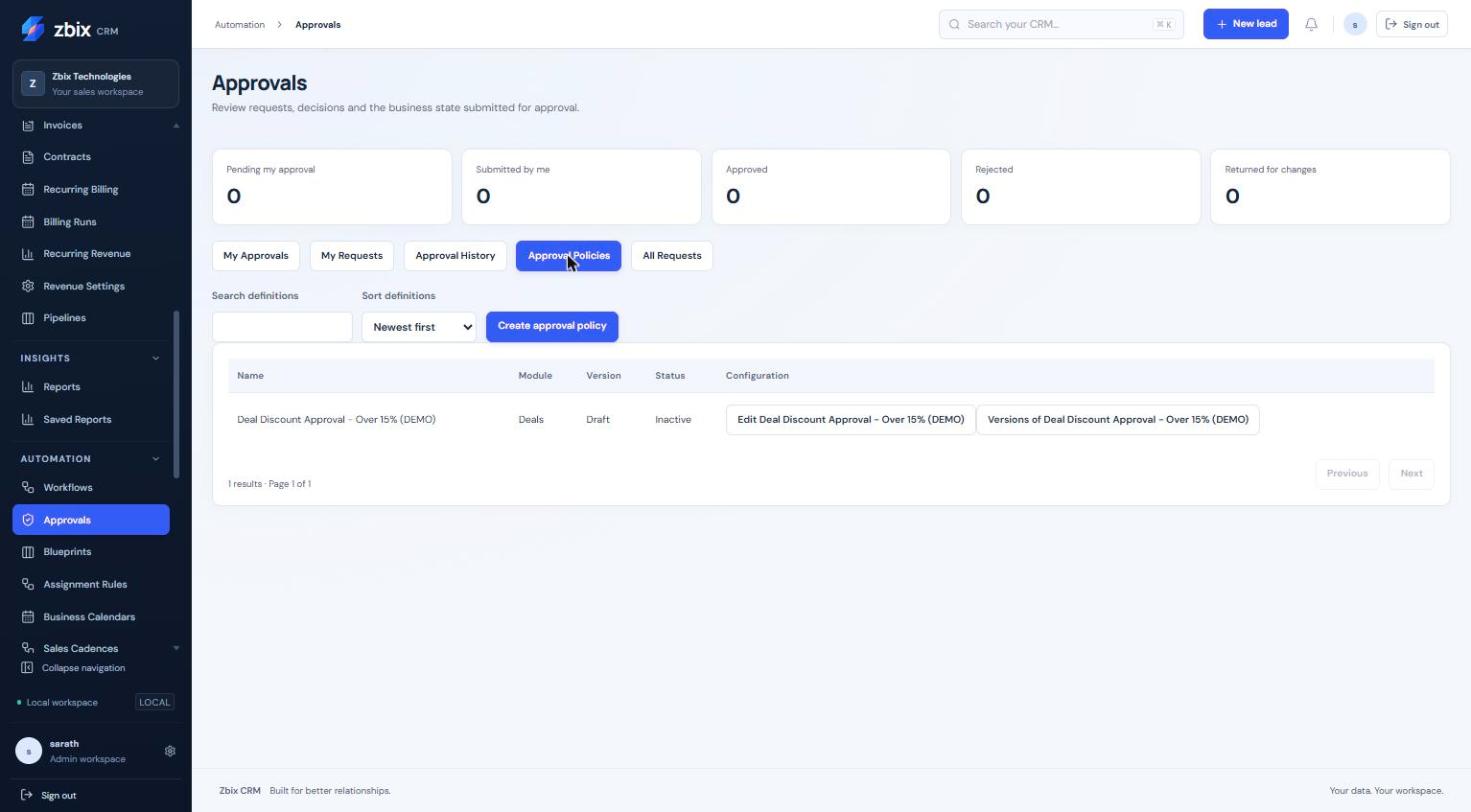
To configure a policy, open Approvals > Approval Policies and select Create approval policy. Enter Process name, optional Pipeline and Description. Approval policies use the Deals module.
-
Set Eligibility conditions. Add one to ten Sequential approval levels. Name each level and choose a Named user or Explicit CRM role. A role level can be decided by one eligible assigned member; it is not a quorum vote.
-
Choose whether to Require comments for approval decisions. Select Save process draft, Validate saved draft, Publish saved draft and Activate published process.
-
To submit a Deal, open its Business process panel. Choose Approval policy and Resubmission cycle, then Submit for Approval. For a protected transition use Request approval for the named transition.
-
In My Approvals, search or filter the requests and select Review request. Inspect Submitted values, the requester, policy, record version and Sequential approval steps.
-
Enter a Decision reason. Select Approve current level, Reject request or Return for changes. Rejection and return require a reason. The requester can use Cancel request with a reason.
-
Follow Decision history. If returned or superseded, update the Deal and submit a new linked cycle. If approval protects a transition, return to the Deal and perform that exact transition against the approved version.
Expected result
Section titled “Expected result”The request records each decision and advances one level at a time. A completed approval can authorize only its matching, current purpose. The transition consumes that authorization once.
Screenshots and diagrams
Section titled “Screenshots and diagrams”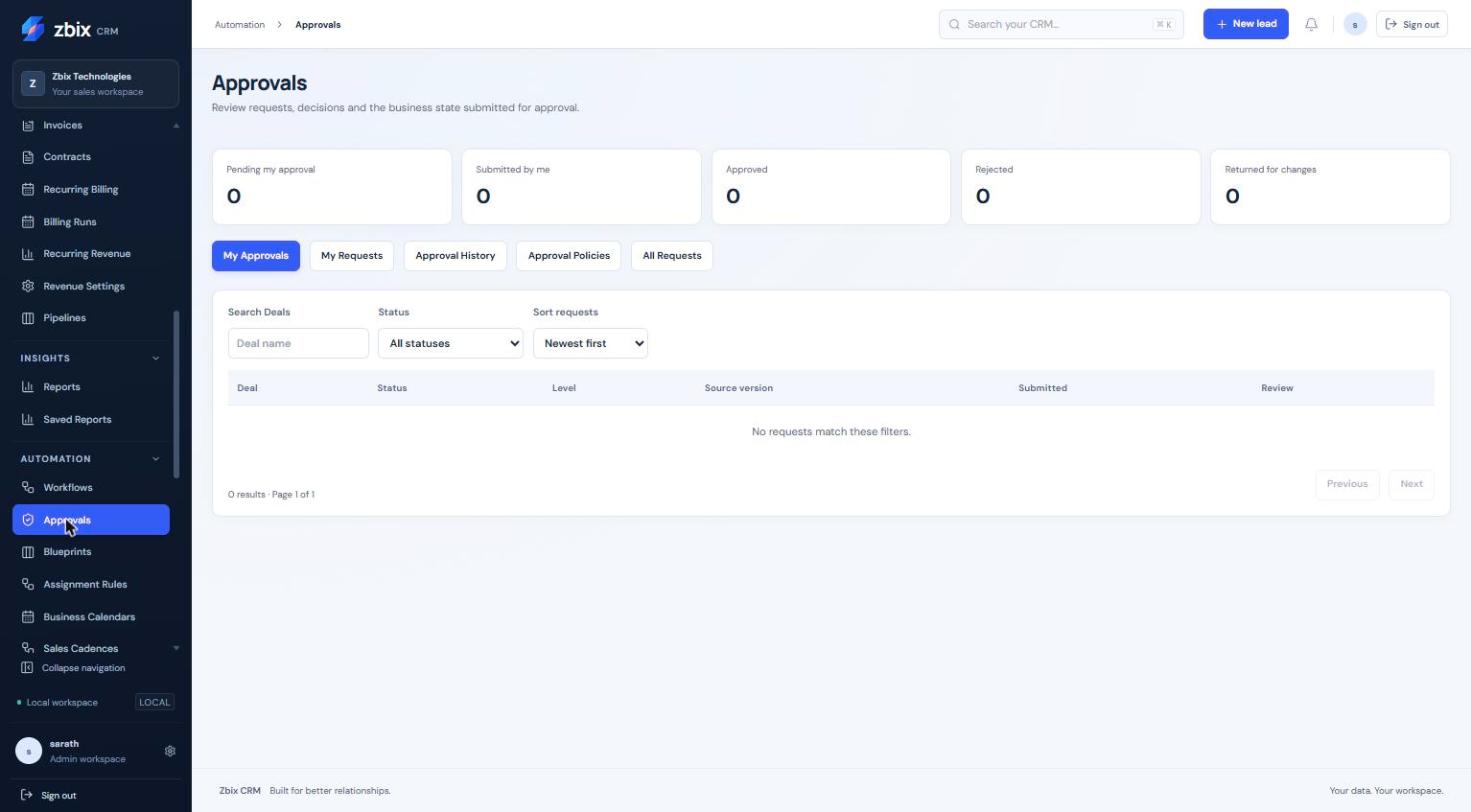
Important notes
Section titled “Important notes”-
A stale snapshot cannot authorize a transition. Source edits invalidate old pending or approved authorization.
-
No administrator fallback allows self-approval or substitutes for an unavailable eligible approver.
-
Current configurable approvals are Deal policies. Existing commercial Quote approval is a different mechanism.
-
Parallel approvals, quorum voting and inferred manager hierarchies are not exposed. Decision reasons are limited to 2,000 characters.
Troubleshooting
Section titled “Troubleshooting”-
No eligible approver: repair the selected user or explicit role membership and source/field permissions, or have the requester cancel; do not assume an administrator override.
-
Source changed: review the current Deal and submit a fresh cycle. Do not retry a stale approval as if its snapshot were current.
-
A decision button is missing: verify that the request is pending at your level and that you are not its submitter.
Related articles
Section titled “Related articles”Search the guides or talk to the ZBIX team.


Software products, application engineering and IT services from Zbix Technologies.
Visit our company website ↗