ZBIX CRM documentation
Practical guidance for the people who sell, the teams who configure their workspace, and the engineers who keep ZBIX CRM running.
Find your next task
Section titled “Find your next task”Sign in, navigate, manage records, and complete your first day.
02 · DAILY WORKCRM user guideWork with Leads, Accounts, Contacts, Deals, and commercial documents.
03 · CONFIGUREAdministration and automationConfigure users, permissions, fields, workflows, cadences, and SLAs.
04 · UNDERSTANDSystem architectureUnderstand application services, data relationships, and dependencies.
05 · PREPARESystem requirementsReview platforms, sizing, networking, and installation readiness.
06 · INSTALLInstallation and deploymentFollow release-specific Linux, Windows, and AWS guidance.
07 · CONNECTSecurity and integrationsManage authentication, MFA, API access, SMTP, and Microsoft 365.
08 · OPERATEBackup and maintenanceCreate recovery points, verify restores, monitor, and plan upgrades.
09 · ASSESSManaged SaaS readinessSeparate existing entitlement controls from a complete managed service.
10 · RESOLVETroubleshootingInvestigate reporting, imports, email, attachments, and support issues.
A workspace for the whole customer journey
Section titled “A workspace for the whole customer journey”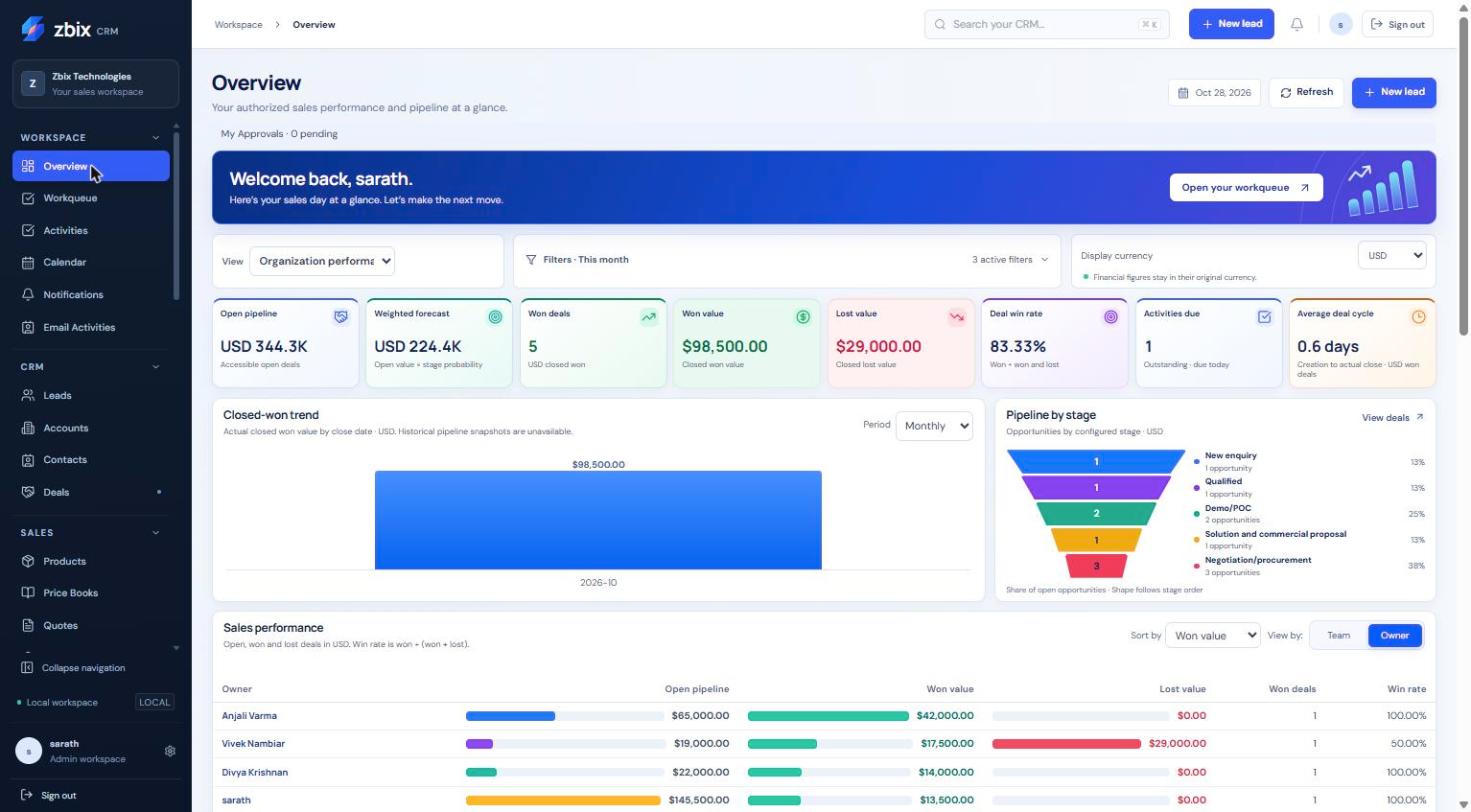
Keep the guides close
Section titled “Keep the guides close”Download the complete Word and PDF manuals, or read the frequently asked questions for answers to common operational questions.
Search the guides or talk to the ZBIX team.


Software products, application engineering and IT services from Zbix Technologies.
Visit our company website ↗