Routine application maintenance checklist
Overview
Section titled “Overview”Routine maintenance combines service health, storage capacity, failed work, access review and recovery evidence. Zbix CRM exposes these controls through System Health, operation histories and administration pages. A running web page is only one part of operational readiness. Maintenance should preserve business records and use the package-specific upgrade and recovery runbooks for disruptive work.
Purpose
Section titled “Purpose”Use this checklist during an agreed operations review and before handing the installation to another support team.
Prerequisites
Section titled “Prerequisites”-
Administrator access and an approved maintenance responsibility.
-
The release manifest, recovery owner and provider ownership records.
Procedure
Section titled “Procedure”-
Refresh System Health and review database, worker heartbeat, due queues, storage and runtime identity. Record unresolved warnings with an owner.
-
Review failed imports, email attempts, workflow executions and billing runs. Classify definite failures separately from uncertain external outcomes before retrying.
-
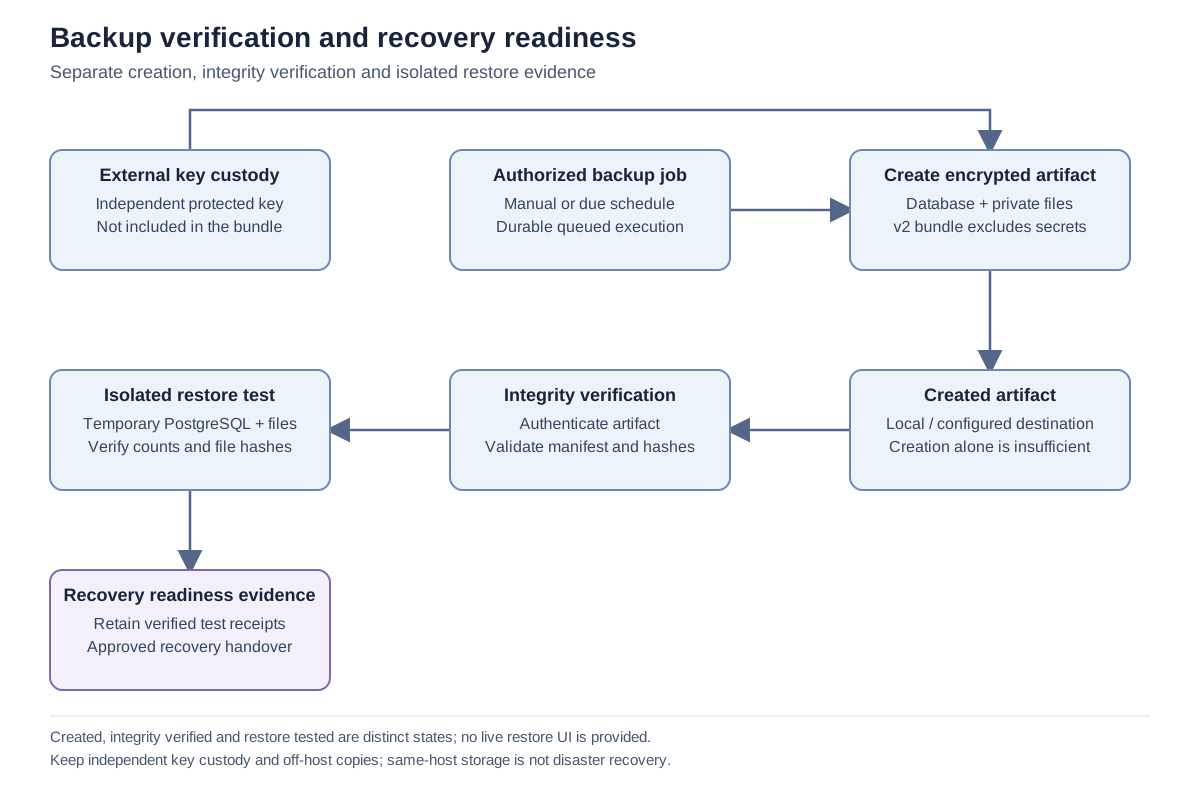
Review Backup & Recovery for recent verified recovery points, destination validation and isolated restore-test evidence. Confirm separate recovery-key custody with the designated owner.
-
Review inactive users, role assignments and unexpected sessions. Confirm required service identities remain active and narrowly scoped.
-
Check SMTP/Microsoft connection status and expiry or reconnect notices where these integrations are used. Do not send test messages to real customers as a routine health probe.
-
Before an upgrade, follow the release-specific preparation and isolated rehearsal process. Afterward, verify the intended migration and representative read-only business views.
Expected result
Section titled “Expected result”The maintenance record identifies current health, outstanding work, recovery readiness and accountable owners.
Screenshots and diagrams
Section titled “Screenshots and diagrams”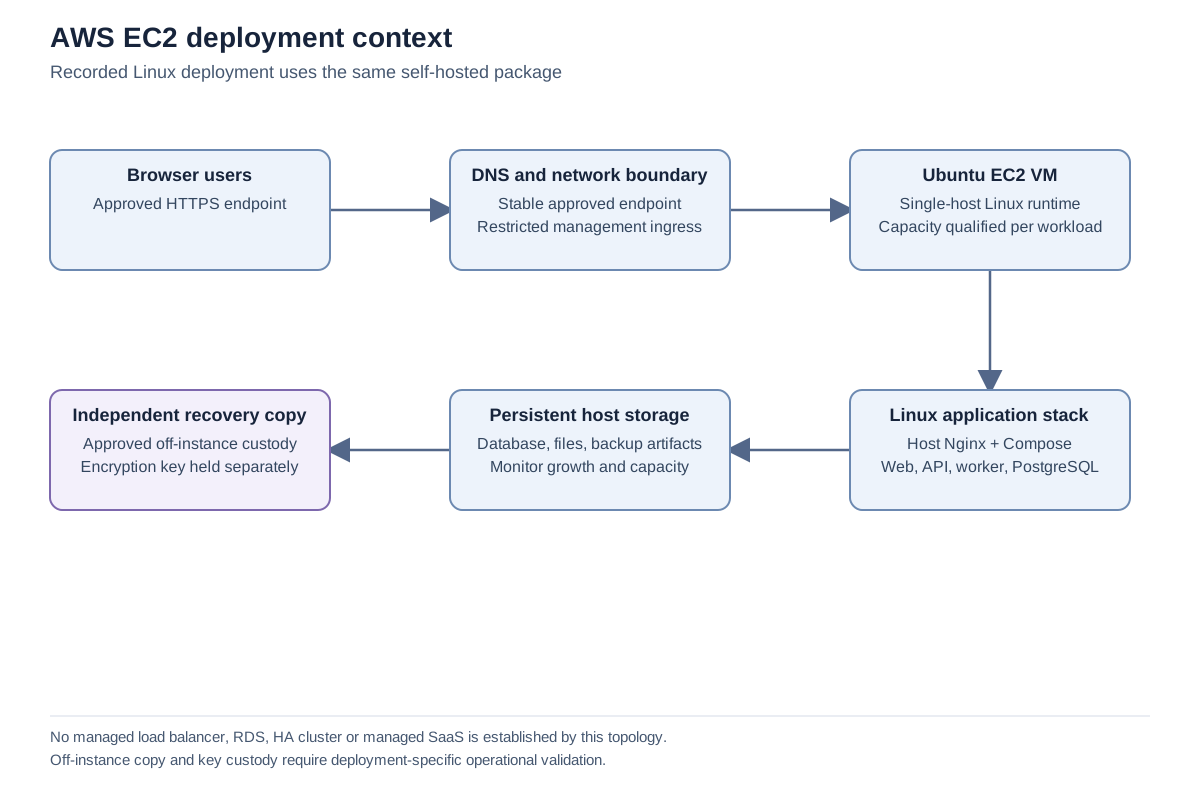
Important notes
Section titled “Important notes”-
The product does not establish a universal maintenance interval, RPO or RTO. Set those through the customer’s approved operating policy.
-
Do not remove database or attachment volumes to resolve a routine incident.
-
Import source retention and external backup retention require deliberate operational review.
-
A healthy local status does not replace independent service monitoring and recovery exercises.
Troubleshooting
Section titled “Troubleshooting”-
Repeated failures remain after a restart: inspect operation history and configuration dependencies rather than restarting indefinitely.
-
Storage is approaching capacity: identify the responsible data class and use an approved retention process.
Related articles
Section titled “Related articles”Search the guides or talk to the ZBIX team.


Software products, application engineering and IT services from Zbix Technologies.
Visit our company website ↗