Prepare and manage Quotes
Overview
Section titled “Overview”Quotes combine customer details, priced line items and controlled status decisions. Revisions preserve the commercial and customer snapshot used at each stage, so a later catalog or address change does not rewrite a finalized quotation.
Purpose
Section titled “Purpose”Prepare a customer offer, obtain approval where required and preserve the accepted version for order conversion.
Prerequisites
Section titled “Prerequisites”-
Quotation create/edit permissions and approval permission for approval decisions.
-
Accessible Account, Deal, Products and Price Book as applicable.
-
A consistent currency across the commercial relationships.
Procedure
Section titled “Procedure”-
Open Sales > Quotes and select Create quote. Enter the title, customer/Deal association, currency, valid-until date and terms.
-
Add the line items and review quantities, unit prices, discounts, tax and totals. Select the intended price source and document design where available.
-
Save the Draft before changing its status. Review the generated PDF and correct the draft if necessary.
-
Use Quote status and the review/comment control for the allowed lifecycle action. Submit Pending Approval when review is required and let an authorized approver record the decision.
-
Record Sent and the eventual Accepted or Rejected outcome using the permitted transition. Sending the document externally is a separate communication action.
-
For changes to finalized commercial terms, choose a new draft revision. Convert only the current Accepted revision into a Sales Order.
Expected result
Section titled “Expected result”The quotation retains a versioned offer and decision history, with PDF output for the selected revision.
Screenshots and diagrams
Section titled “Screenshots and diagrams”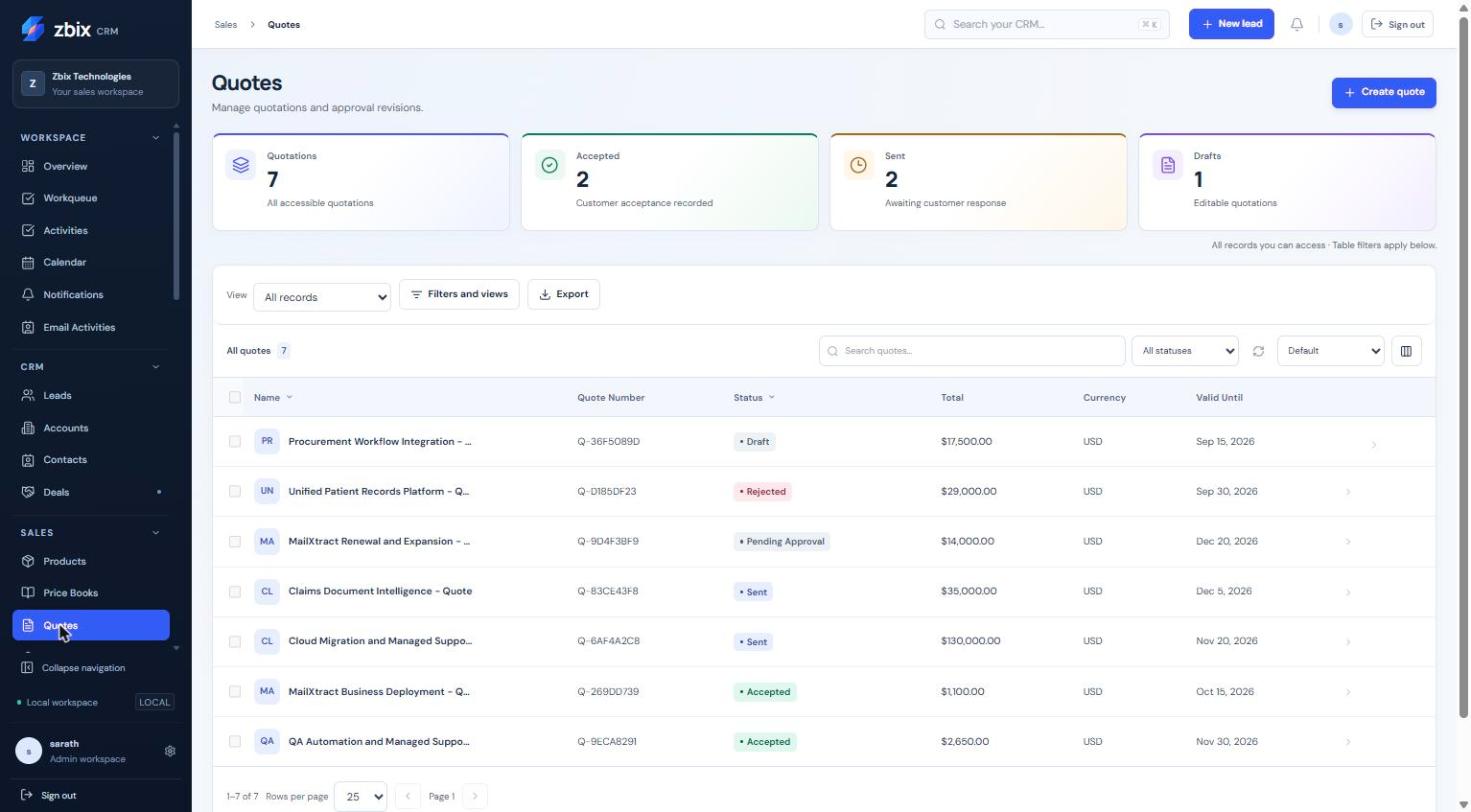
Important notes
Section titled “Important notes”-
Quotes require 1 to 100 line items with positive quantities and valid nonnegative monetary values.
-
Save financial edits separately from status decisions. Finalized commercial terms cannot be edited in place.
-
Quote Sent is a business state and does not transmit email.
-
A previous revision remains available for review; the current revision drives new order conversion.
Troubleshooting
Section titled “Troubleshooting”-
Invalid transition: use the next action available for the current status.
-
Commercial terms are immutable: create a new draft revision.
-
Currency/relationship error: align Quote, Deal, Account and Product/price source.
-
PDF differs from the current catalog: historical snapshots intentionally retain the earlier offer.
Related articles
Section titled “Related articles”Search the guides or talk to the ZBIX team.


Software products, application engineering and IT services from Zbix Technologies.
Visit our company website ↗