Create and maintain Users
Overview
Section titled “Overview”Users defines CRM identities, their active state and legacy role. Team memberships and a custom module-role assignment add separate access controls. Named-user licensing can constrain creation or reactivation.
Purpose
Section titled “Purpose”Give each person an individual account with the intended level of access.
Prerequisites
Section titled “Prerequisites”-
An administrator identity; a custom manage-settings grant alone is not identity administration.
-
An available licensed seat where enforced.
-
The person’s approved email, role and team memberships.
Procedure
Section titled “Procedure”-
Open Administration > Users and search the email before creating an account.
-
Select Create user. Enter Full name, Email, Role and a suitable Temporary password; choose the active state.
-
Select the intended team memberships where available, then save the user.
-
Open Teams and Module Permissions to review memberships and any explicit module-role assignment. Verify effective access rather than relying on the role name.
-
Provide the sign-in details through your approved secure handover process and direct the person to change the temporary password and enroll MFA when required.
-
For a departing user, review record ownership and background work before deactivating the account. Preserve history and ensure another active administrator remains.
Expected result
Section titled “Expected result”The person has an individual identity with deliberate role, membership and activation settings.
Screenshots and diagrams
Section titled “Screenshots and diagrams”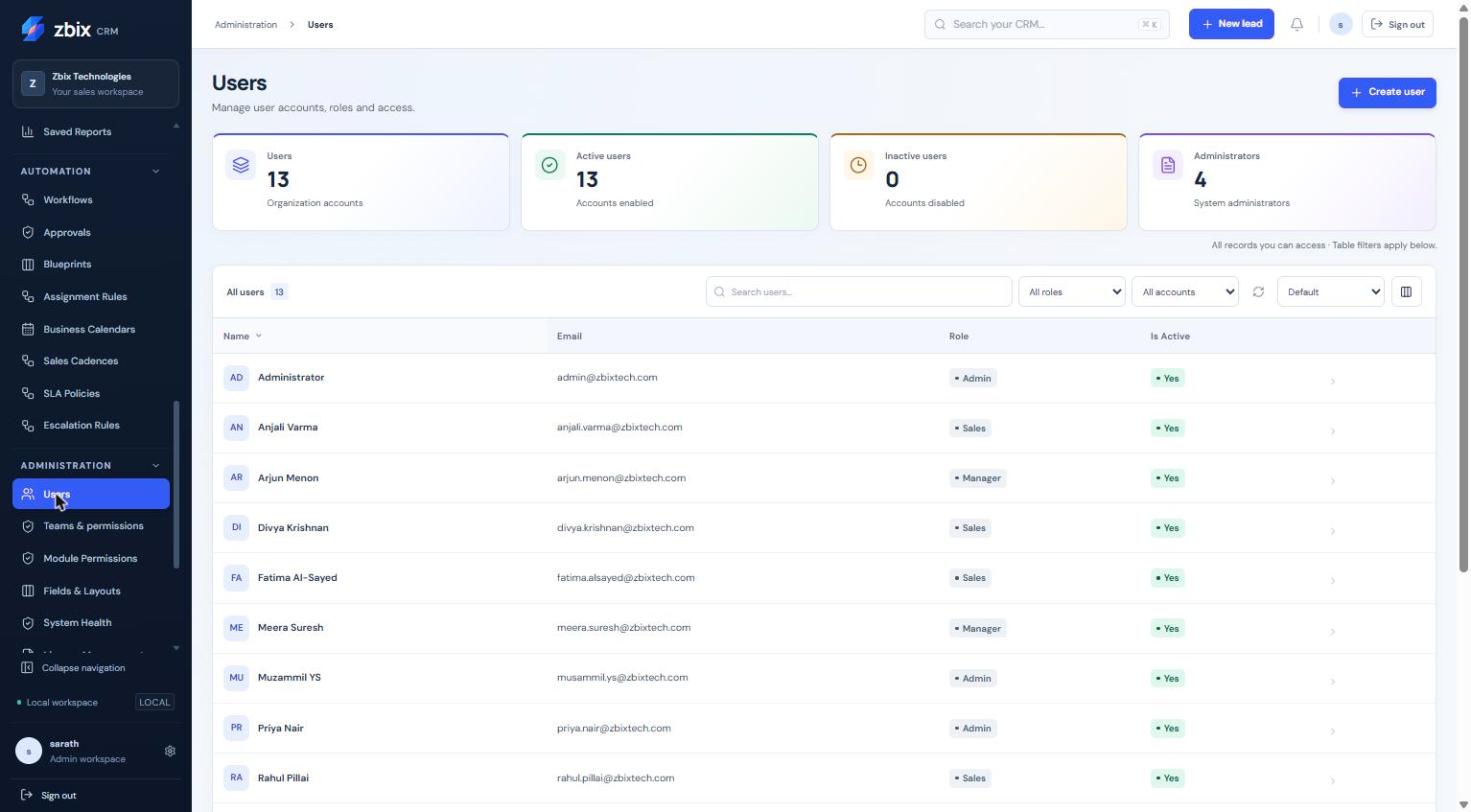
Important notes
Section titled “Important notes”-
Roles are admin, manager, sales and readonly. A custom module role replaces the action/scope policy instead of adding a union of multiple roles.
-
Membership in a team does not itself grant create, edit, export or administrator actions.
-
Do not confuse inactive users with inactive Accounts or Products.
-
Record reassignment and user deactivation are separate operations.
Troubleshooting
Section titled “Troubleshooting”-
Seat limit reached: review active named users and License Management.
-
User cannot see a module: inspect effective module access, capability and visibility.
-
User cannot administer identities: confirm the identity role is admin.
-
Cannot deactivate the final administrator: keep an approved active administrator available.
Related articles
Section titled “Related articles”Search the guides or talk to the ZBIX team.


Software products, application engineering and IT services from Zbix Technologies.
Visit our company website ↗