Manage Contacts
Overview
Section titled “Overview”Contacts store the people associated with customer Accounts. A Contact can hold role and communication details and be selected as the primary Contact on a Deal.
Purpose
Section titled “Purpose”Keep the right person connected to the right organization and opportunity.
Prerequisites
Section titled “Prerequisites”-
Contact view/create/edit permission.
-
Access to the Account you intend to link.
Procedure
Section titled “Procedure”-
Open CRM > Contacts and search the person’s email or name.
-
Select Create contact. Enter Last name and optional First name, Email, Phone and Mobile.
-
Add Job title and Department so colleagues understand the person’s role.
-
Select the Account through the lookup, review Description and custom fields, then save.
-
Open related Deals and choose this Contact only where its Account matches the Deal’s Account.
-
Use notes or Activities to preserve communication context rather than repeatedly replacing identity fields.
Expected result
Section titled “Expected result”The Contact has a clear identity and, where selected, an Account relationship.
Screenshots and diagrams
Section titled “Screenshots and diagrams”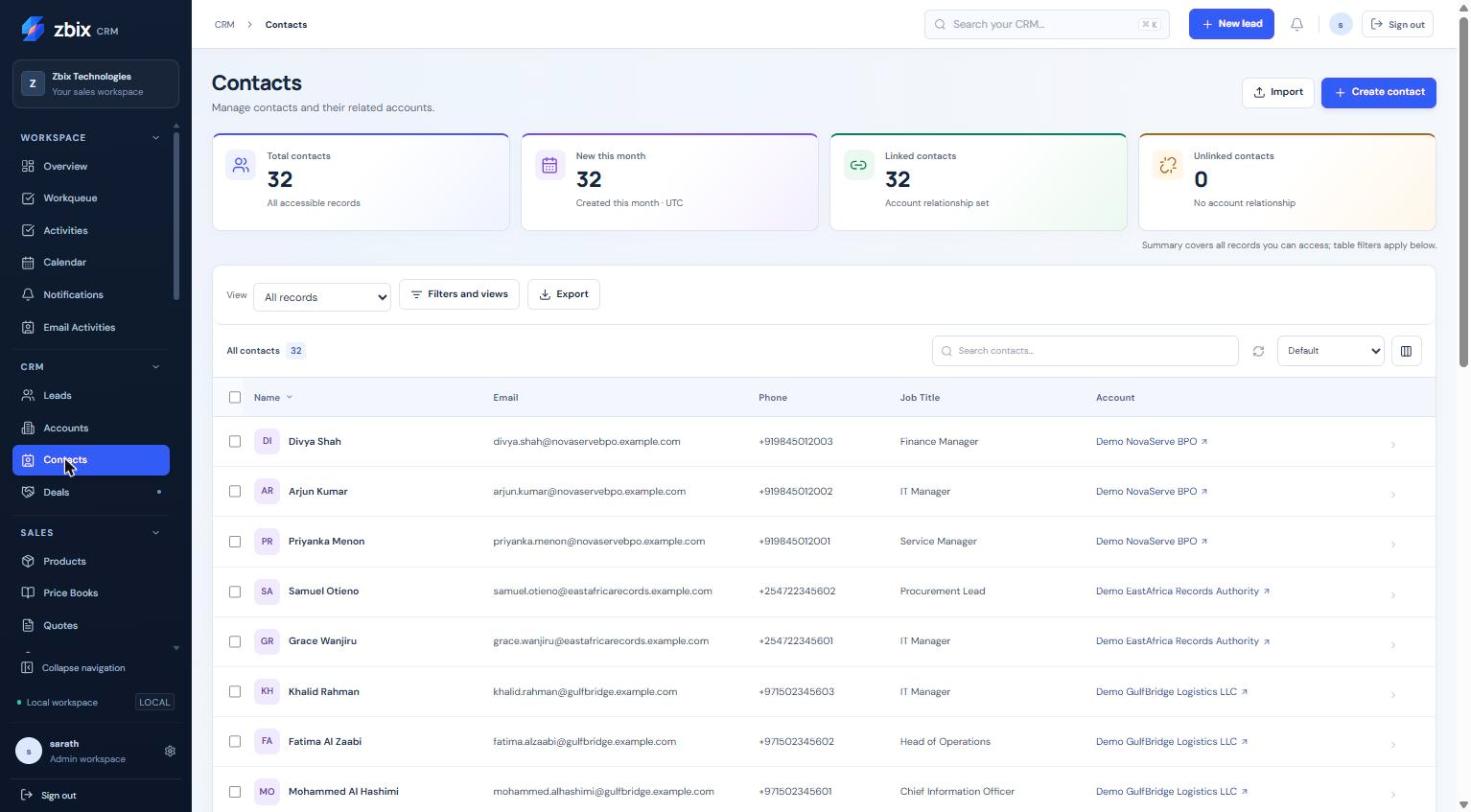
Important notes
Section titled “Important notes”-
Last name is required in the standard form. Email is validated when supplied.
-
Duplicate email checks apply to active Contacts within the organization.
-
The Contact list’s linked/unlinked counters can help find records needing Account association.
Troubleshooting
Section titled “Troubleshooting”-
Duplicate email: locate or request access to the existing Contact.
-
Contact cannot be selected for a Deal: correct the Account relationship.
-
A name-only match is ambiguous: verify email and organization before linking.
Related articles
Section titled “Related articles”Search the guides or talk to the ZBIX team.


Software products, application engineering and IT services from Zbix Technologies.
Visit our company website ↗