Issue Invoices and record payments
Overview
Section titled “Overview”Invoices are created from eligible Sales Orders or recurring billing runs. Their Draft, Approved, Issued and Voided lifecycle is separate from the displayed payment state. Payment records are internal records requiring reconciliation.
Purpose
Section titled “Purpose”Review an invoice, issue its controlled number and record a payment reference without treating the CRM as a bank settlement service.
Prerequisites
Section titled “Prerequisites”-
Invoice view/edit access and approve permission for lifecycle decisions and payment entry.
-
An eligible Sales Order or generated recurring-billing invoice.
-
Approved payment evidence before recording money.
Procedure
Section titled “Procedure”-
Open the source order or billing run to create/find its draft invoice, then open Sales > Invoices.
-
Review dates, terms, customer, currency and line totals. Only draft dates, payment terms and notes can be edited through the invoice editor.
-
Approve the draft, then Issue the approved invoice after final review. Issuance allocates its invoice number and captures its document artifact.
-
Download or preview the PDF. Transmit it only through an explicitly chosen communication process.
-
For an issued invoice, choose the payment action. Enter a positive amount within the outstanding balance, the payment date and a meaningful reference.
-
Save and inspect payment history and the derived Partially Paid/Paid/Overdue display. Reconcile the entry against the actual payment source.
Expected result
Section titled “Expected result”The invoice preserves its issued snapshot and append-only payment history.
Screenshots and diagrams
Section titled “Screenshots and diagrams”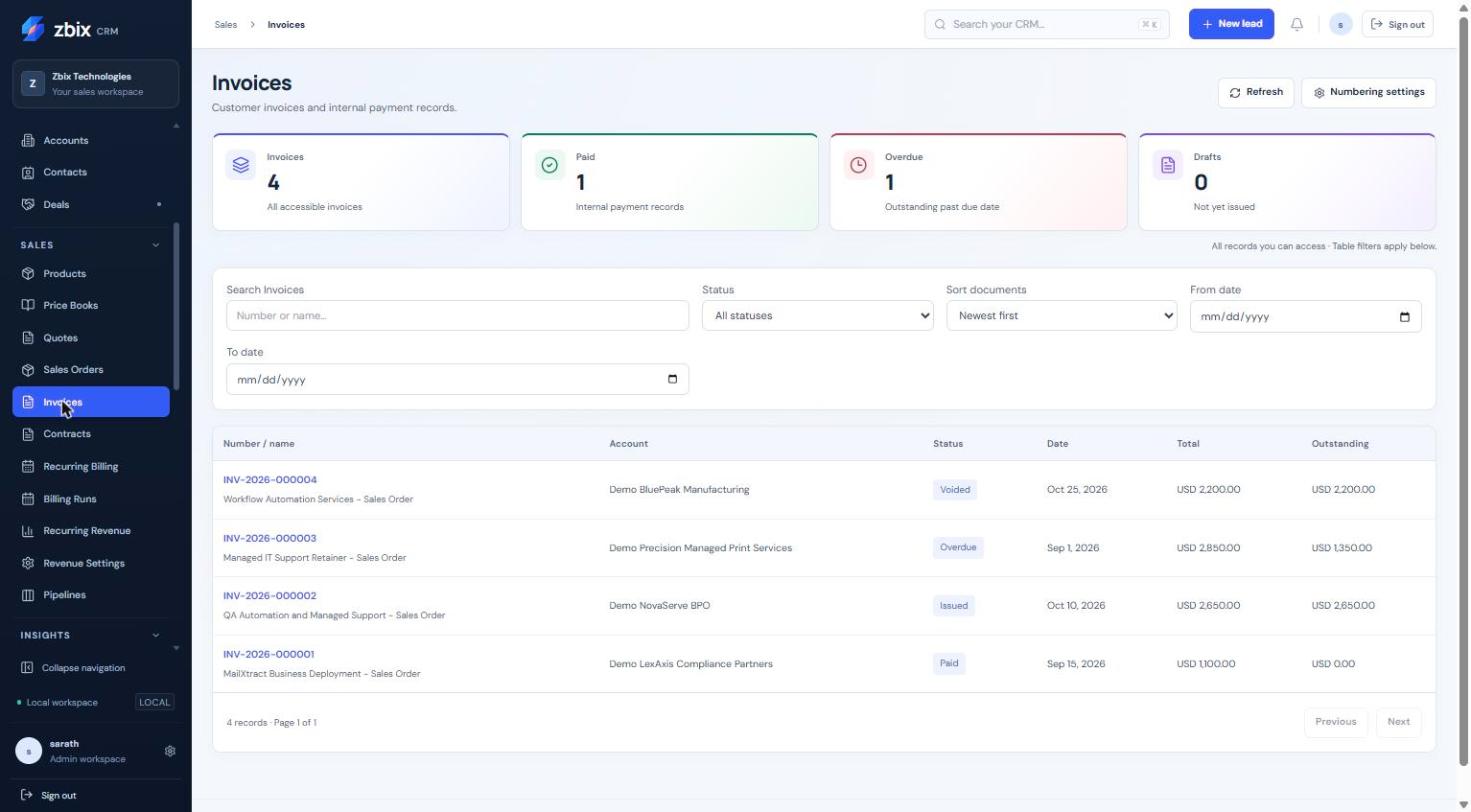
Important notes
Section titled “Important notes”-
Recording a payment does not charge a customer, contact a bank or prove settlement.
-
Invoices with recorded payments cannot be voided. Credit notes, payment deletion and reversal workflows are not provided by this lifecycle.
-
A return from Approved to Draft or a void requires a reason. An issued number is not reused.
-
Overdue and paid labels are derived from dates and recorded balances; they are not a separate editable financial snapshot.
Troubleshooting
Section titled “Troubleshooting”-
Payment exceeds balance: compare amount, currency precision and earlier payment history.
-
Cannot void: check for recorded payments and escalate through your finance process.
-
Number absent: the invoice may still be a draft or approved but unissued.
-
Wrong terms on an issued invoice: do not overwrite the stored snapshot; obtain an approved correction process.
Related articles
Section titled “Related articles”Search the guides or talk to the ZBIX team.


Software products, application engineering and IT services from Zbix Technologies.
Visit our company website ↗