Blueprints
Overview
Section titled “Overview”Blueprints govern actual Lead statuses and Deal pipeline stages through named, authorized transitions. A Blueprint defines who may perform each transition, its required inputs and preconditions, and whether a Deal transition also needs approval.
Purpose
Section titled “Purpose”Use a Blueprint to enforce a repeatable sales process at the record boundary. The control also applies to supported direct, bulk and import paths, so a board move cannot bypass a governed transition.
Prerequisites
Section titled “Prerequisites”-
Process automation is enabled; administrators have Workflows view/manage_settings and create/edit rights.
-
A Deal Blueprint needs an active pipeline. Its transitions must reference real distinct states. Users performing transitions need current record edit access and the configured performer membership.
Procedure
Section titled “Procedure”-
Open Automation > Blueprints and select Create Blueprint.
-
Enter Process name, Module and Description. For Deals, select Pipeline before saving; module and pipeline are fixed after creation.
-
Set Eligibility conditions. Select Add transition and enter Transition name, From state and To state.
-
Select each Performer as a Named user or Explicit CRM role. Add any Required fields, Transition preconditions and Require transition comment. For Deals, optionally choose a Required approval policy.
-
Select Save process draft, Validate saved draft, Publish saved draft and Activate published process. Use Versions of the definition to review immutable versions and configuration history.
-
Open a governed Lead or Deal. In Business process, choose an available transition. If required, save the Deal inputs first and request approval for that transition.
-
Complete the required inputs and Transition comment in the dialog, then select Complete transition. Review the new business state and Process history.
Expected result
Section titled “Expected result”The record moves through a permitted transition with a recorded history entry. It retains the Blueprint version to which it was enrolled.
Screenshots and diagrams
Section titled “Screenshots and diagrams”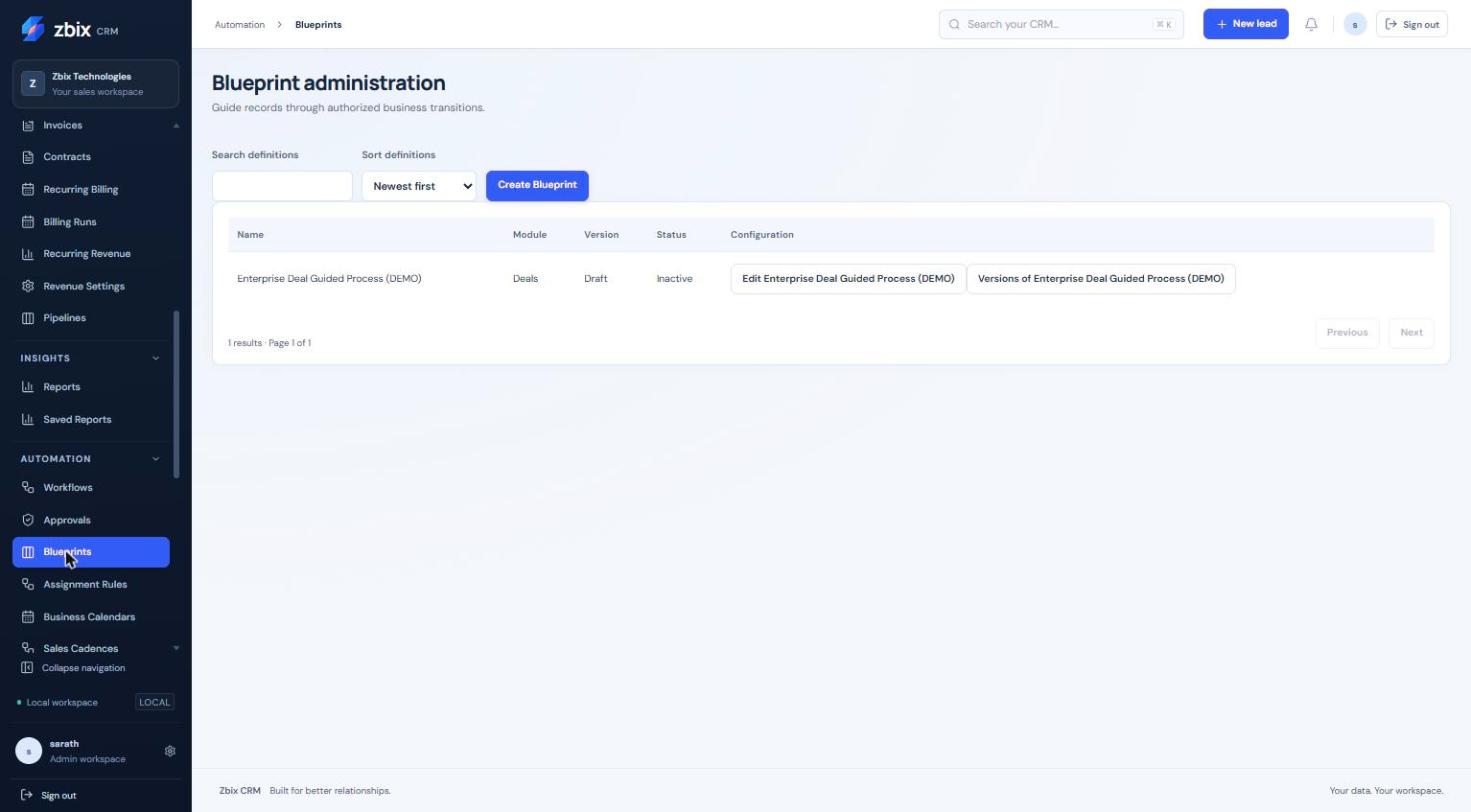
Important notes
Section titled “Important notes”-
Existing records enroll on their first authorized save or transition. Already enrolled records retain their version after deactivation; publishing a new version does not migrate them.
-
A matching new record must start in a configured entry state. Root source states are the default; cyclic graphs need explicit entry-state configuration through the API.
-
Only one active Blueprint may govern the same scope. The UI allows at most 40 transitions and 20 performers per transition.
-
Existing pipeline forward/reopen/lost-state rules still apply. A graph edge does not override them.
-
Lead conversion remains blocked while a Lead is governed. Multiselect transition inputs are unsupported.
Troubleshooting
Section titled “Troubleshooting”-
Direct status or stage edit is rejected: use the named Business process transition.
-
Transition is unavailable: check current state, performer membership, eligibility/preconditions and current field access.
-
Approval cannot authorize the action: confirm the policy, Blueprint version, transition and Deal version all match the approved request.
Related articles
Section titled “Related articles”Search the guides or talk to the ZBIX team.


Software products, application engineering and IT services from Zbix Technologies.
Visit our company website ↗