Module Permissions
Overview
Section titled “Overview”Module Permissions assigns a complete custom permission matrix to a user. Eight actions and Own records, Team records or Organization records are configured for each module. One explicit assignment replaces the user’s legacy module grants.
Purpose
Section titled “Purpose”Use a custom module role when the standard admin, manager, sales or readonly defaults do not match an operational role. Review access as a whole before assignment.
Prerequisites
Section titled “Prerequisites”-
An administrator identity is required. A manage_settings grant alone does not authorize identity or role administration.
-
Identify the required modules, actions and visibility scope, including source modules used by reports, documents and automation.
Procedure
Section titled “Procedure”-
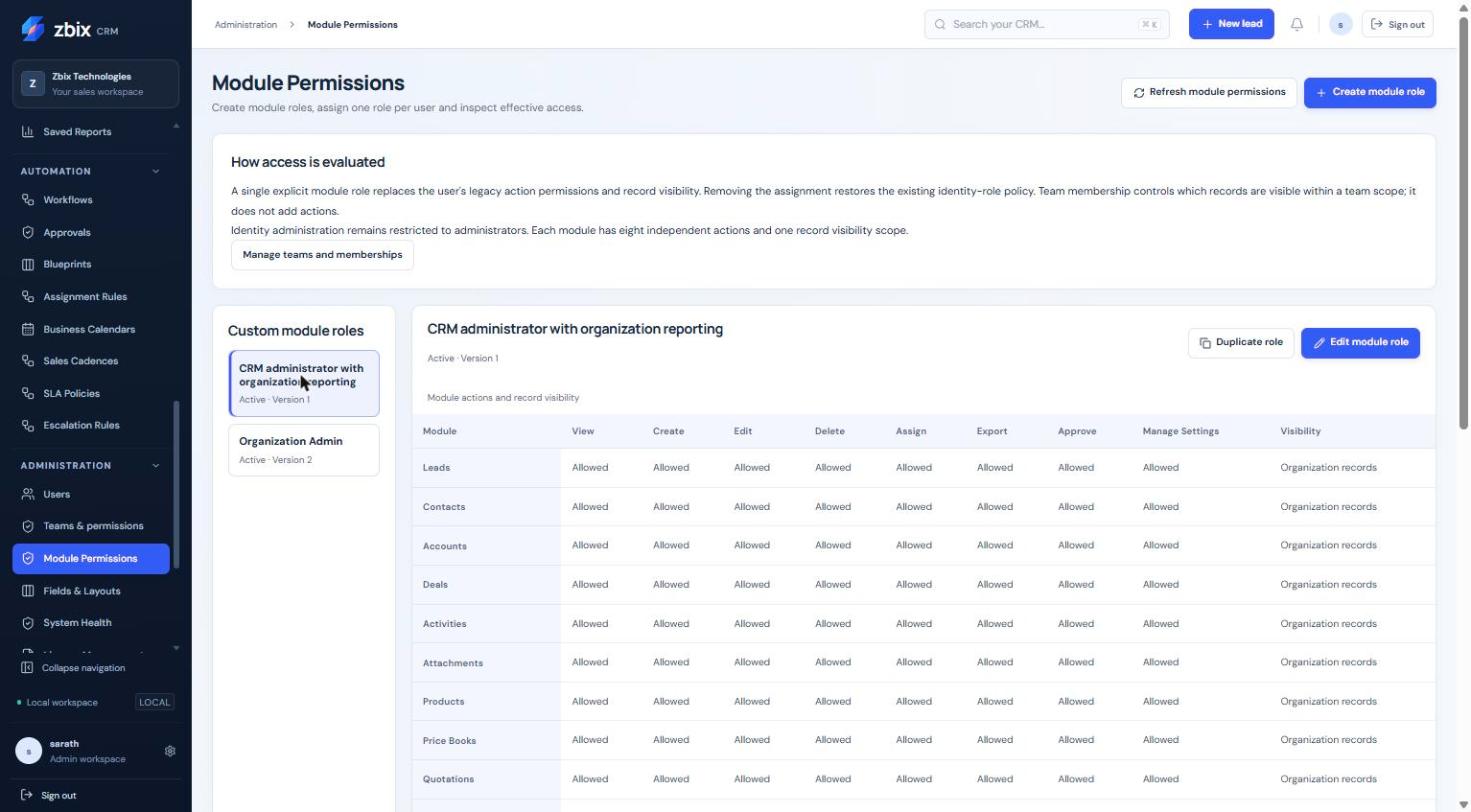
Open Administration > Module Permissions. Select a role to inspect its matrix or select Create module role. A copy of a known role can be created with Create role copy.
-
Enter the role name and set View, Create, Edit, Delete, Assign, Export, Approve and Manage settings for each module. Choose its record visibility.
-
Select Save module role. A complete matrix is required; omitted newly introduced revenue grants remain denied.
-
In User assignment and effective access, choose the user and Assigned module role. Review the displayed effective access and assignment version.
-
Select Review role assignment. Check the replacement warning and proposed access, then Apply module role assignment.
-
Reopen effective access and verify the role and visibility. Where necessary, test with the intended user in a permitted review session.
-
Before deactivating a role, remove all user assignments. Removing an assignment restores legacy policy, which may grant more or different access.
Expected result
Section titled “Expected result”The server evaluates the single assigned role on subsequent requests. Related resources continue to require their source-record and field access as well as the module action.
Screenshots and diagrams
Section titled “Screenshots and diagrams”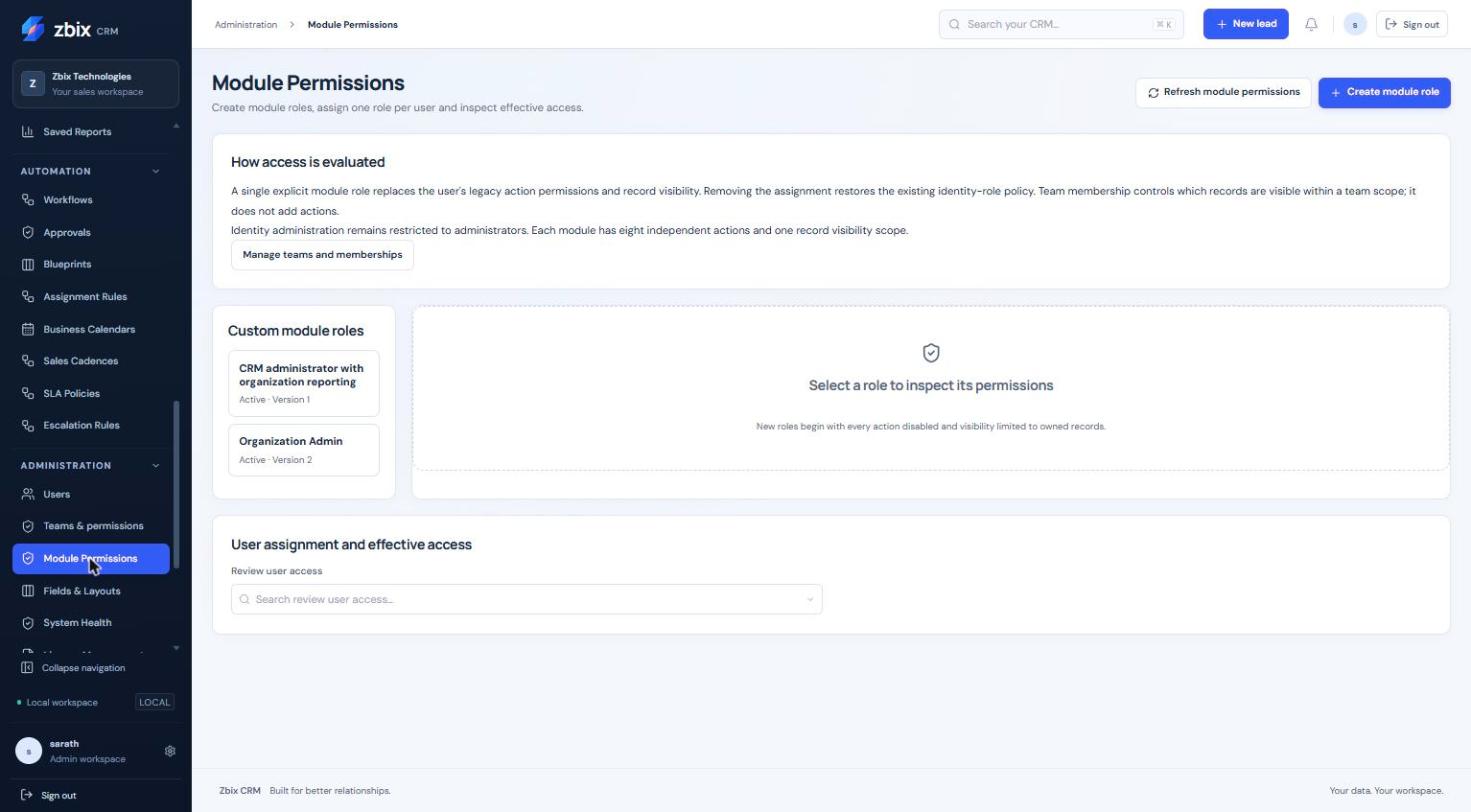
Important notes
Section titled “Important notes”-
Custom roles do not union together. An inactive or invalid assigned role fails closed rather than silently restoring legacy grants.
-
Team membership does not itself grant actions. Organization visibility does not cross organization boundaries.
-
Report sharing, document links and automation history do not override source permissions.
-
Legacy administrator identity remains separate from the module role. Record and action rights can still be restricted by an explicit role.
Troubleshooting
Section titled “Troubleshooting”-
A user lost access after assignment: compare the entire assigned matrix with the prior legacy policy; assignments replace rather than add grants.
-
A report is visible but cannot run/export: check the source module’s view/export grants and record/field scope.
-
Role deactivation is rejected: remove every assignment first, reviewing the legacy access that each removal restores.
Related articles
Section titled “Related articles”Search the guides or talk to the ZBIX team.


Software products, application engineering and IT services from Zbix Technologies.
Visit our company website ↗