Authorization and permission evaluation
Overview
Section titled “Overview”Zbix CRM separates identity roles, module actions and record visibility. Legacy identity roles are admin, manager, sales and readonly. A custom module role provides eight independent actions for each module plus own, team or organization visibility. One explicit module-role assignment replaces the legacy action policy; assignments are not combined as a union of multiple roles.
Purpose
Section titled “Purpose”Use this model to design least-privilege access and explain why a user can see a menu but cannot perform a particular operation.
Prerequisites
Section titled “Prerequisites”-
Administrator identity for managing roles and assignments.
-
A written description of the actions and records required by the business role.
Procedure
Section titled “Procedure”-
Open Module Permissions and inspect the role’s complete action matrix. Evaluate View separately from Create, Edit, Delete, Assign, Export, Approve and Manage Settings.
-
Review the visibility scope for each module. Own uses the record owner; Team includes qualifying team membership; Organization remains inside the current organization.
-
Check the user’s explicit assignment and effective access. Removing the assignment restores the legacy policy, so review that fallback before removal.
-
Check access to parent and source records as well as the target module. Attachments, documents, related CRM records and report execution intersect these permissions.
-
Verify representative actions with an appropriate test account in an approved test environment, then document the intended role behavior.
Expected result
Section titled “Expected result”The role grants only the required actions and record scope, and users understand which permission is missing when an operation is denied.
Screenshots and diagrams
Section titled “Screenshots and diagrams”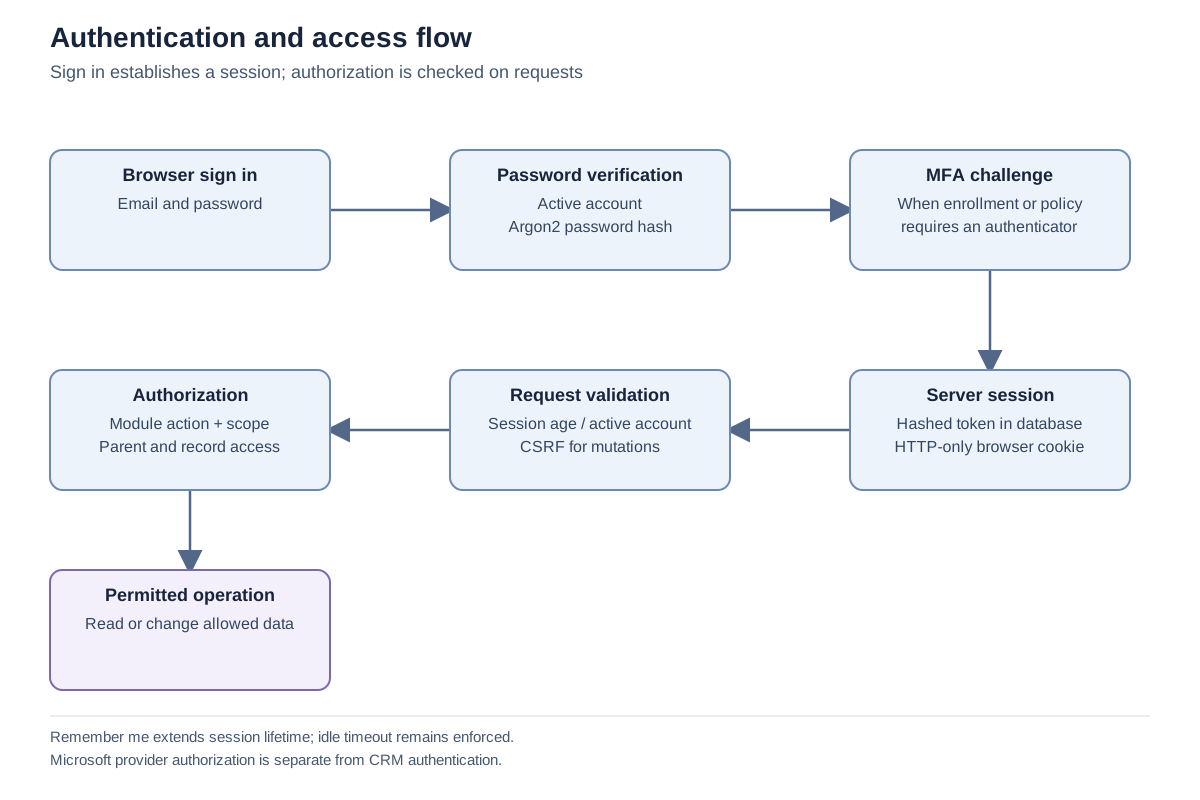
Important notes
Section titled “Important notes”-
Team membership expands eligible team visibility but does not itself grant actions or administrator identity.
-
Identity and access administration requires the admin identity role; a custom Manage Settings action is not a substitute.
-
A role with an inactive or invalid explicit assignment does not silently regain legacy privileges.
-
License and capability checks may further restrict an otherwise permitted action.
Troubleshooting
Section titled “Troubleshooting”-
A record disappears after a related record is restricted: review the full relationship and source visibility chain.
-
A shared report returns fewer records for another user: sharing the definition does not share the owner’s data access.
Related articles
Section titled “Related articles”Search the guides or talk to the ZBIX team.


Software products, application engineering and IT services from Zbix Technologies.
Visit our company website ↗