Design customer document templates
Overview
Section titled “Overview”Document Templates provides a visual PDF designer for Quotes, Sales Orders and Invoices. The gallery includes Modern Business, Classic Corporate, Minimal and Executive starters, plus a blank-page option.
Purpose
Section titled “Purpose”Create consistent customer-facing documents while preserving already finalized artifacts.
Prerequisites
Section titled “Prerequisites”-
Document-template management access.
-
Approved organization branding and a permitted sample record for preview.
-
A clear choice of document type.
Procedure
Section titled “Procedure”-
Open Administration > Document Templates and choose Quotes, Sales Orders or Invoices.
-
Select a starter, Blank page or a permitted clone to create a draft.
-
Edit the supported blocks and properties. Arrange their order with the provided controls, and add supported merge fields and validated local image assets.
-
Open Organization branding to maintain approved company information and logos where your permissions allow.
-
Preview against a suitable record. Review long line tables, page breaks, headers, footers and totals before publishing.
-
Publish the version and set it as the default where required. Select the published design on an editable document before finalization.
-
Use history and retirement controls to manage older designs without deleting historical commercial evidence.
Expected result
Section titled “Expected result”New documents can use the published design, while finalized artifacts retain their captured version and bytes.
Screenshots and diagrams
Section titled “Screenshots and diagrams”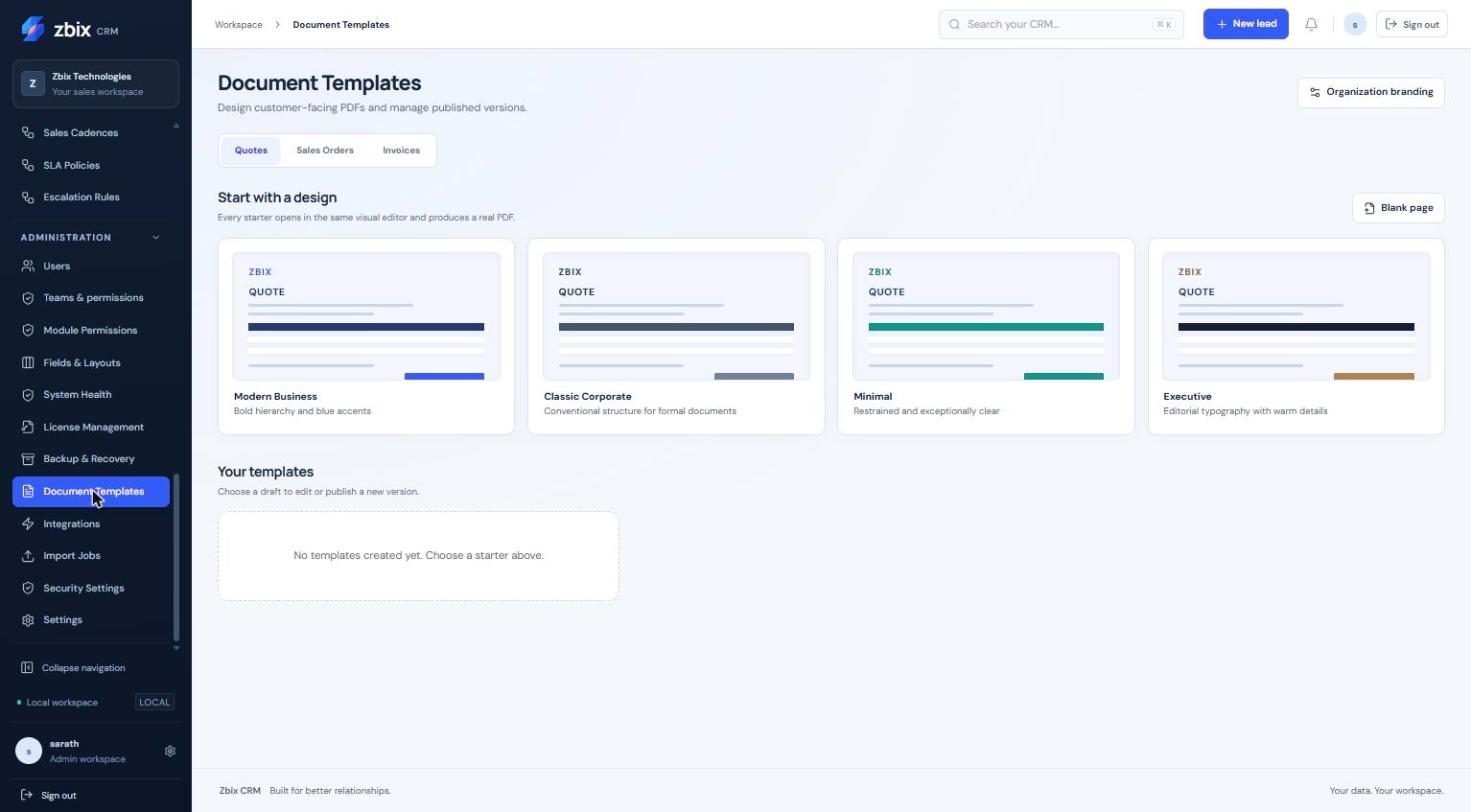
Important notes
Section titled “Important notes”-
The editor is a constrained document designer; arbitrary HTML, JavaScript and remote resources are not supported.
-
Hidden or unauthorized fields cannot be exposed merely by adding a merge field.
-
Approved Quotes, confirmed Orders and issued Invoices capture document artifacts. Changing a template does not rewrite those artifacts.
-
The supplied capture shows the gallery, not the full editor canvas.
Troubleshooting
Section titled “Troubleshooting”-
A merge field is rejected: use an allowed field available to the document type and role.
-
A logo is missing or distorted: use a validated PNG/JPEG and inspect the preview dimensions.
-
Published changes do not alter an old invoice: use the retained historical artifact as intended.
Related articles
Section titled “Related articles”Search the guides or talk to the ZBIX team.


Software products, application engineering and IT services from Zbix Technologies.
Visit our company website ↗