Sales Cadences
Overview
Section titled “Overview”Sales Cadences run an ordered sequence of internal tasks, in-app notifications and waits for Leads or Deals. Enrollment is stored separately from the definition, and each instance records its progress and pinned version.
Purpose
Section titled “Purpose”Use cadences for a repeatable new-lead or Deal follow-up sequence, with optional completion gates and business-time delays.
Prerequisites
Section titled “Prerequisites”-
Sales automation and Workflows configuration rights are available.
-
Business-time steps require a published calendar version. Task creation and enrollment require current source and Activity permissions.
Procedure
Section titled “Procedure”-
Open Automation > Sales Cadences and select Create cadence. Enter Name and Module.
-
Choose Calendar version when using business time. Set Owner changes to Pause for review or Use new owner for future actions.
-
Configure Eligibility conditions. Enable Explicitly enroll matching new records on creation only when all matching new records should enter automatically.
-
For each step choose Create task, In-app notification or Wait, enter Title and Delay after preceding step (minutes), and optionally enable Use business time.
-
For task steps, enable Wait for this task to be completed when the next step must wait for a recorded task completion. Use Move up, Remove and Add step to order the sequence.
-
Select Save draft, Validate saved draft, Publish saved draft and Activate published version.
-
To enroll an existing record, open its Sales automation activity panel, select Cadence and Enroll. The conditional workflow editor can also enroll a pinned published cadence version.
-
Monitor Sales automation activity. Filter Status, inspect History and follow View task links. Use Pause, Resume or Stop when appropriate and authorized.
Expected result
Section titled “Expected result”An enrollment advances through the stored steps. Task completion gates display Awaiting task completion and resume only when the qualifying task completion is recorded.
Screenshots and diagrams
Section titled “Screenshots and diagrams”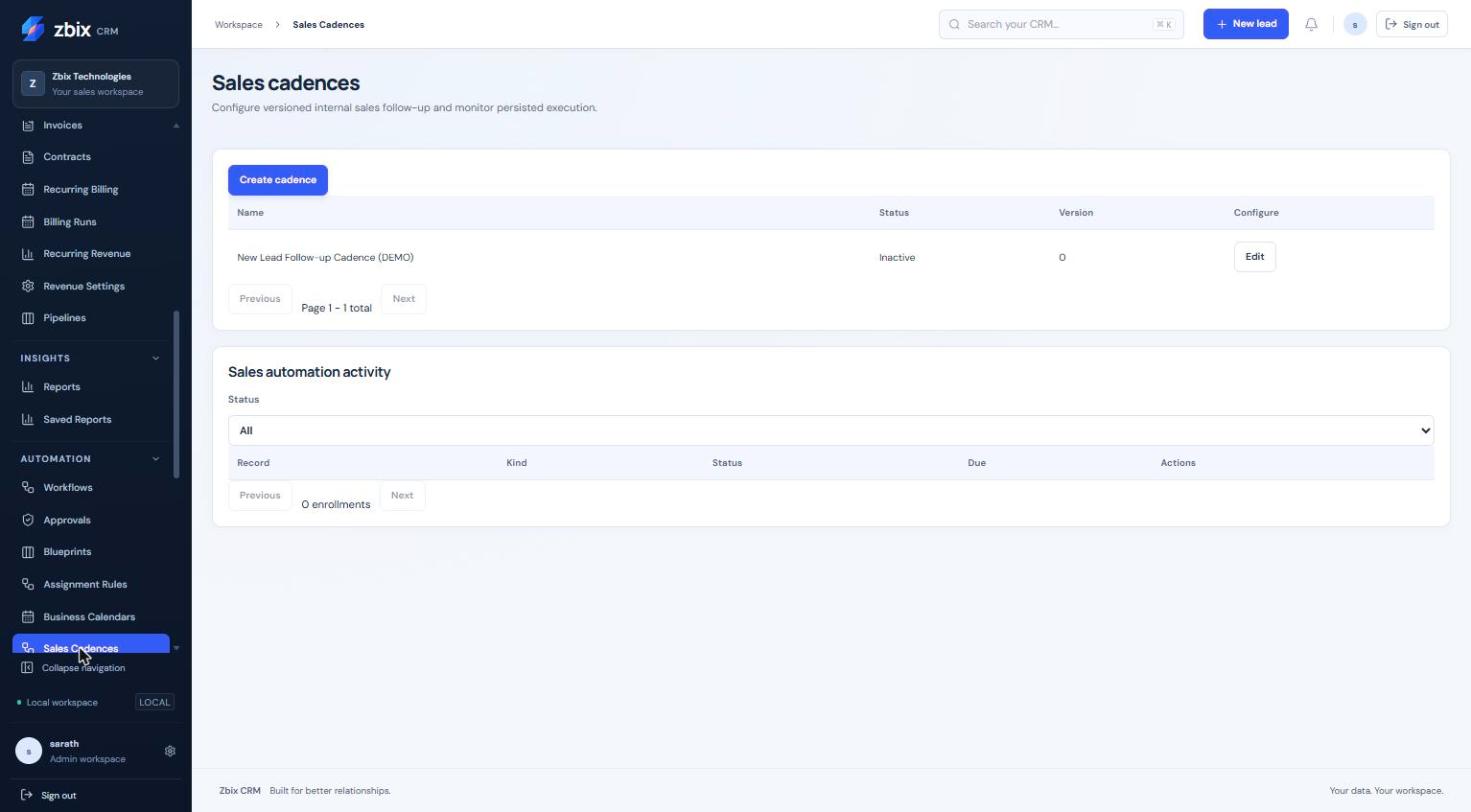
Important notes
Section titled “Important notes”-
A cadence has 1–30 steps. Delay is 0–525,600 minutes. Only task steps can have a completion gate.
-
Business-time steps require a published calendar; elapsed-time steps do not. A newly published definition does not rewrite an existing instance.
-
These steps create internal CRM tasks and notifications; they do not constitute an external email or SMS campaign.
-
Owner changes follow the chosen policy for future actions. Stop is different from Pause: it ends the instance.
-
Closed-record exit and current authorization are checked by runtime execution. Monitor the worker as well as the instance status.
Troubleshooting
Section titled “Troubleshooting”-
Awaiting task completion persists: open the linked task and verify its actual Completed state.
-
Enrollment fails: check eligibility, module, source access and any existing open enrollment.
-
No step executes: inspect History, due time, paused status, calendar version and System Health worker status.
Related articles
Section titled “Related articles”Search the guides or talk to the ZBIX team.


Software products, application engineering and IT services from Zbix Technologies.
Visit our company website ↗