Create and progress Sales Orders
Overview
Section titled “Overview”Sales Orders capture an accepted commitment and its fulfillment progress. An order can be entered as a draft or converted from the current accepted quotation revision. Confirmation freezes its commercial snapshot.
Purpose
Section titled “Purpose”Move an accepted quotation into fulfillment and create the invoice from a controlled order.
Prerequisites
Section titled “Prerequisites”-
Sales Order create/edit access; approve permission for confirmation.
-
Invoice create access for the later invoice step.
-
Consistent customer, Deal and currency relationships.
Procedure
Section titled “Procedure”-
From an Accepted Quote, choose the order-conversion action and review the resulting draft. Alternatively, open Sales > Sales Orders > Create sales order.
-
For a manually created draft, complete the name, customer, currency, order date, delivery date and line items, then save.
-
Review the customer and financial snapshot and PDF design. Confirm the order through the status action when approved for fulfillment.
-
Progress Confirmed to Processing and then Fulfilled as the work occurs.
-
Choose the invoice action on a Confirmed, Processing or Fulfilled order. Review invoice and due dates and create the draft invoice.
-
If cancellation is required, supply a reason. Resolve an active invoice before cancelling the order.
Expected result
Section titled “Expected result”The order keeps its source and status history; invoice creation links back to that order.
Screenshots and diagrams
Section titled “Screenshots and diagrams”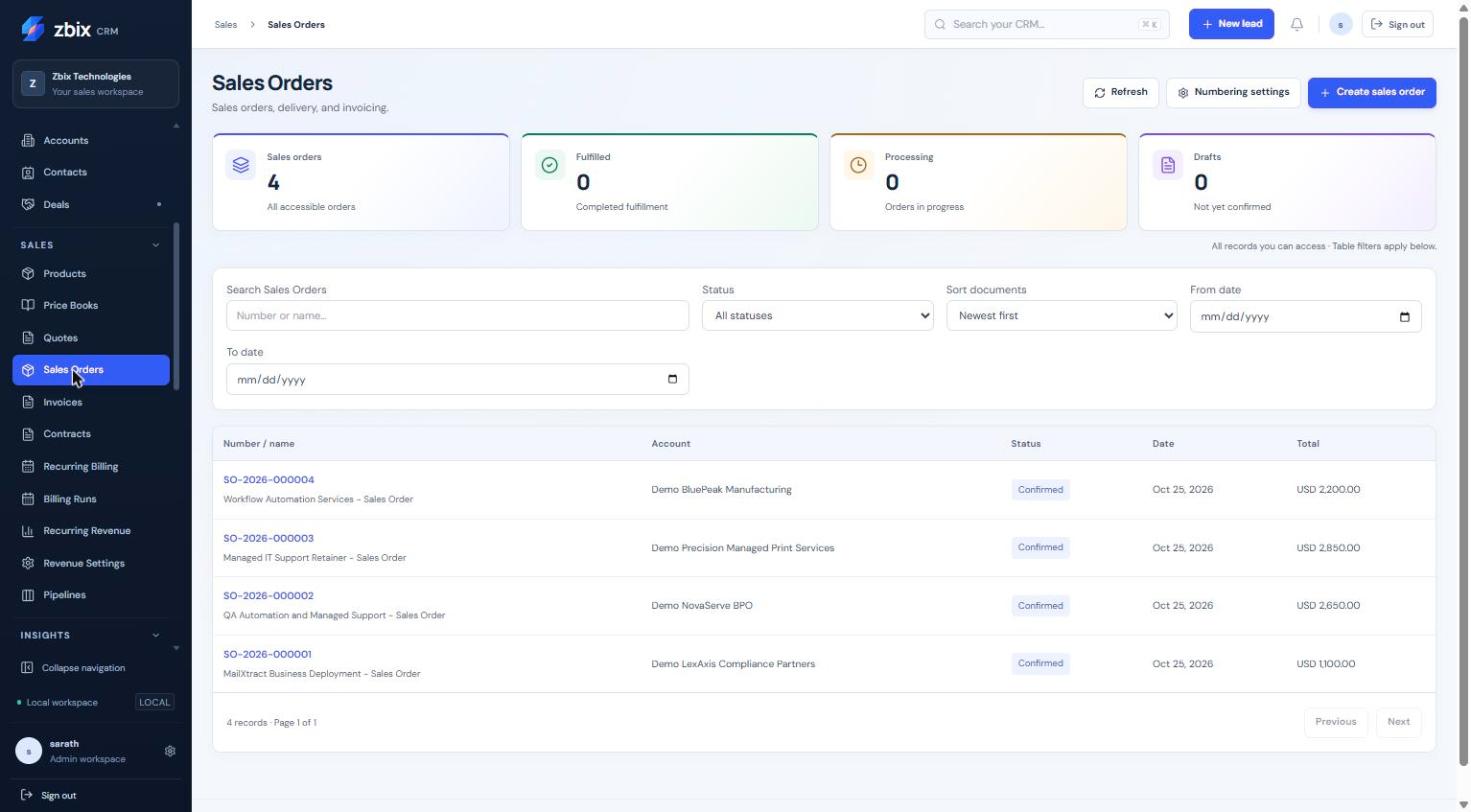
Important notes
Section titled “Important notes”-
A quotation-derived snapshot cannot be edited in place, even while the order is Draft; amend through a new quotation revision.
-
Confirmed financial snapshots are immutable. Order transitions are Draft to Confirmed/Cancelled, Confirmed to Processing/Cancelled, and Processing to Fulfilled/Cancelled.
-
Conversion retry returns the existing order. An order has one invoice link; voiding does not authorize an automatic replacement.
Troubleshooting
Section titled “Troubleshooting”-
Cannot confirm: check approval permission and current status.
-
Cannot cancel: an active invoice must first be resolved through its controlled workflow.
-
Invoice action unavailable: confirm the order and check invoice permissions.
-
Delivery date error: delivery cannot precede the order date.
Related articles
Section titled “Related articles”Search the guides or talk to the ZBIX team.


Software products, application engineering and IT services from Zbix Technologies.
Visit our company website ↗