SLA Policies
Overview
Section titled “Overview”SLA policies measure an initial response commitment on eligible new Leads or Deals. A business calendar determines the deadline; an eligible completed CRM activity satisfies the commitment.
Purpose
Section titled “Purpose”Use a policy to track first-response timeliness and expose overdue work. Recording an activity is not evidence that a real customer interaction occurred.
Prerequisites
Section titled “Prerequisites”-
Sales automation is enabled and the user can manage Workflows.
-
A published Business Calendar version exists. Choose the activity types that count as response evidence.
Procedure
Section titled “Procedure”-
Open Automation > SLA Policies and select Create sla. Enter Name and Module.
-
Choose Calendar version. Set Owner changes to Pause for review or Use new owner for future actions.
-
Configure Eligibility conditions, Target business minutes and Priority. Select at least one Qualifying completed activity type: call, meeting, visit or task.
-
Select Save draft, Validate saved draft, Publish saved draft and Activate published version.
-
After eligible record creation, inspect the SLA instance under Sales automation activity. Open or create the appropriate related activity and record completion when the work is actually finished.
-
Review History for met or breached outcomes. Use Sales service commitments reporting to filter the cohort, module, owner and team and compare Active, Due within 24 hours, Breached, Met and Compliance.
Expected result
Section titled “Expected result”The instance retains a deadline, response outcome and execution history. The summary reports measured compliance for its stated denominator.
Fields and controls
Section titled “Fields and controls”| Field or control | Rule |
|---|---|
| Target business minutes | 1–525,600 |
| Priority | 0–10,000; lower first |
| Qualifying types | One or more of call, meeting, visit, task |
| Calendar version | Required published calendar |
| Owner changes | Pause for review or follow the new owner |
Screenshots and diagrams
Section titled “Screenshots and diagrams”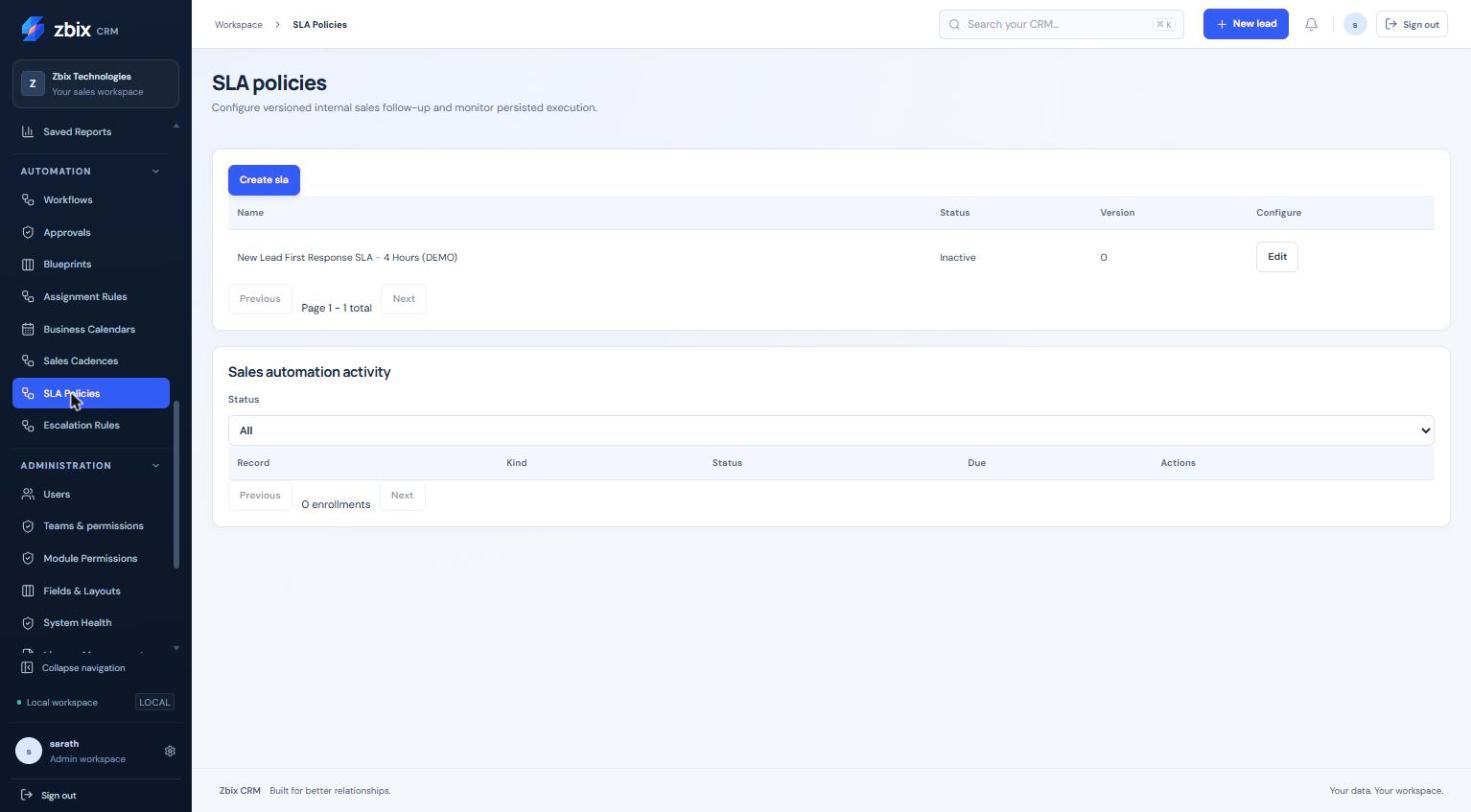
Important notes
Section titled “Important notes”-
Target business minutes is 1–525,600 and priority is 0–10,000. Creating an activity without completing it does not satisfy the SLA.
-
Starts are based on eligible record creation. Arbitrary follow-up event/reset policies are not exposed.
-
Historical late responses remain distinguishable from timely performance. Active, paused and unbreached cancelled instances are excluded from the displayed compliance denominator.
-
Cohort date filters are UTC and the end date is exclusive. An empty measured denominator is shown as No measured results.
Troubleshooting
Section titled “Troubleshooting”-
An activity did not satisfy the SLA: verify the source association, completion state, qualifying type and relevant instance history.
-
Deadline appears wrong: inspect the pinned calendar, timezone and working exceptions.
-
Policy does not attach to existing records: the documented automatic start is record creation; do not assume activation backfills old records.
Related articles
Section titled “Related articles”Search the guides or talk to the ZBIX team.


Software products, application engineering and IT services from Zbix Technologies.
Visit our company website ↗