Maintain the Products catalog
Overview
Section titled “Overview”Products provides reusable product and service references for sales documents. Each item has a product code, unit price, currency, unit of measure and active status. A Price Book can define a separate applicable commercial price.
Purpose
Section titled “Purpose”Avoid inconsistent item naming and provide a controlled catalog for quotation preparation.
Prerequisites
Section titled “Prerequisites”-
Product create/edit permissions.
-
The approved product code, price and currency for the catalog item.
Procedure
Section titled “Procedure”-
Open Sales > Products and search the product name or code.
-
Select Create product. Enter Product name and a unique Product code.
-
Enter the nonnegative Unit price, select Currency and enter Unit of measure and Category where useful.
-
Choose Active or Inactive, add the Description and save.
-
When preparing a Quote, select the Product and review the effective price source rather than assuming the catalog price always applies.
-
For customer-specific pricing, maintain a matching currency entry in Price Books.
Expected result
Section titled “Expected result”The Product is available for authorized selection and retains a unique organization-level code.
Screenshots and diagrams
Section titled “Screenshots and diagrams”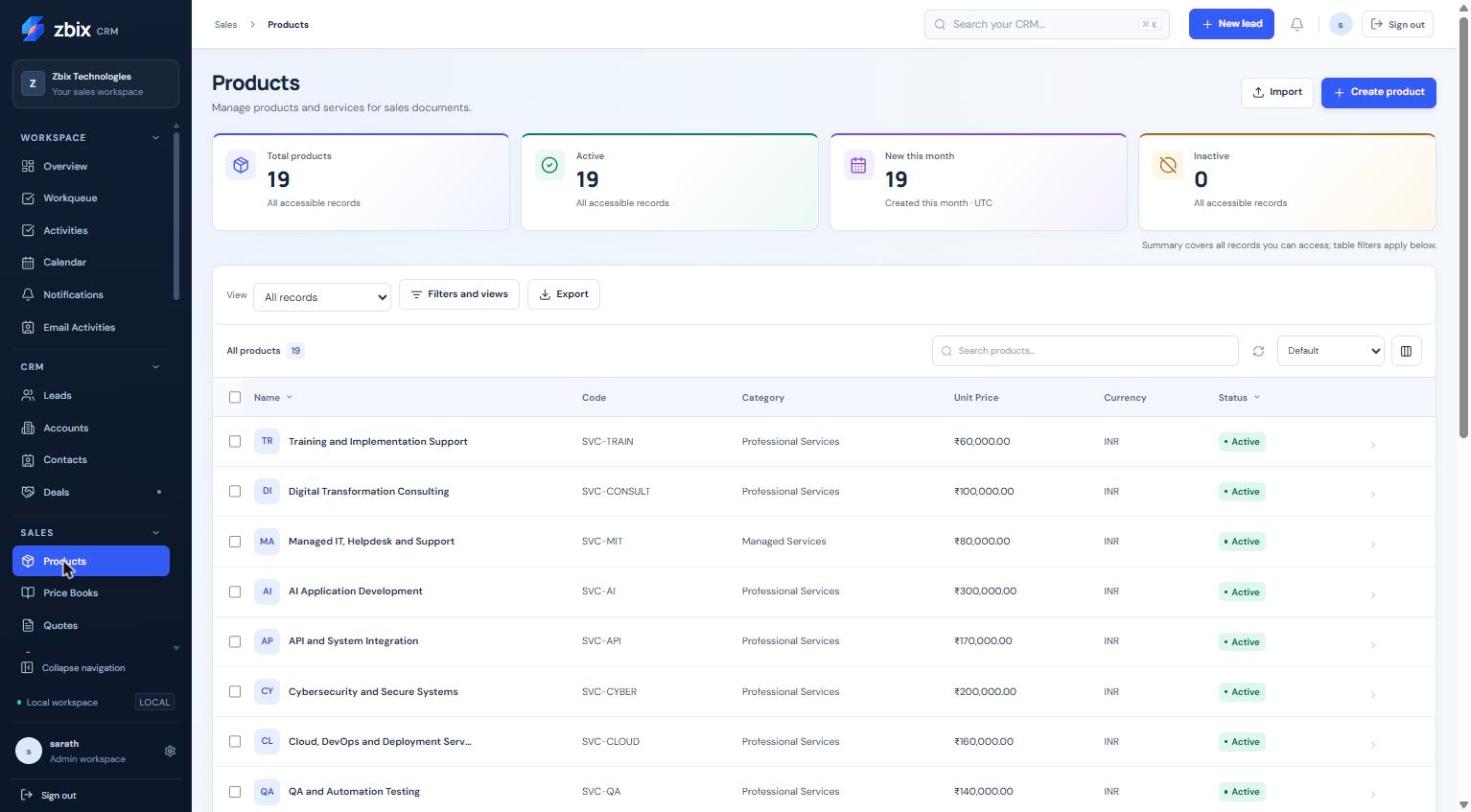
Important notes
Section titled “Important notes”-
The catalog screenshot shows INR values while the standard source form exposes a limited currency list. Existing imported data and configured forms may differ; confirm the intended currency with the administrator.
-
Historical finalized document amounts do not recalculate when catalog prices change.
-
An inactive catalog item should not be confused with deletion of past sales evidence.
Troubleshooting
Section titled “Troubleshooting”-
Duplicate product code: edit the existing Product or use the approved unique code.
-
Currency mismatch on a Quote: select a compatible Product or price source; do not relabel the amount without review.
-
A price differs: check the selected Price Book and effective date.
Related articles
Section titled “Related articles”Search the guides or talk to the ZBIX team.


Software products, application engineering and IT services from Zbix Technologies.
Visit our company website ↗