Integration interfaces and provider boundaries
Overview
Section titled “Overview”Zbix CRM has three distinct integration paths: browser APIs secured by the CRM session, a narrow scoped bearer API, and outbound communications through configured providers. SMTP and delegated Microsoft Graph support real external operations. The webhook subsystem in this release is a durable local mock implementation. Enabling the integration API does not turn mock webhooks into HTTP deliveries.
Purpose
Section titled “Purpose”Use this reference before choosing an integration approach or interpreting a successful provider status.
Prerequisites
Section titled “Prerequisites”-
A defined integration use case and the intended data/action scope.
-
Administrator and provider-owner involvement for configuration.
Procedure
Section titled “Procedure”-
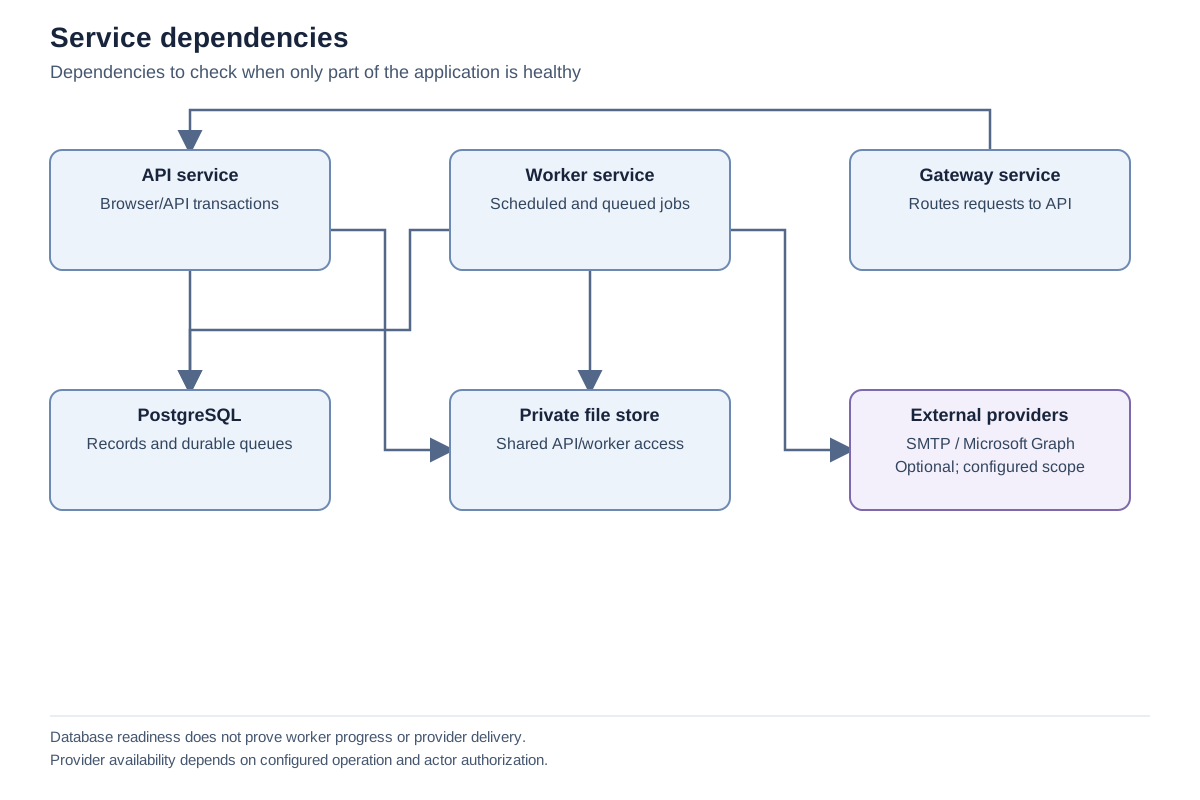
Identify whether the integration needs record reads/creates, email, mailbox synchronization or calendar synchronization. Choose the interface that actually supports the operation.
-
For record automation, review the bearer API scopes and the active non-administrator service identity. Its current CRM permissions remain authoritative.
-
For email, configure SMTP or connect Microsoft Graph and explicitly select the provider when queuing a message.
-
For Microsoft synchronization, choose the supported folder/calendar and direction on the personal connection page. Confirm consent and privacy expectations with the user.
-
For webhook testing, treat local receipts as simulation evidence. Do not advertise an external callback delivery until a separately implemented and qualified transport exists.
Expected result
Section titled “Expected result”The integration design matches implemented interfaces and distinguishes local simulation, provider acceptance and actual external observation.
Screenshots and diagrams
Section titled “Screenshots and diagrams”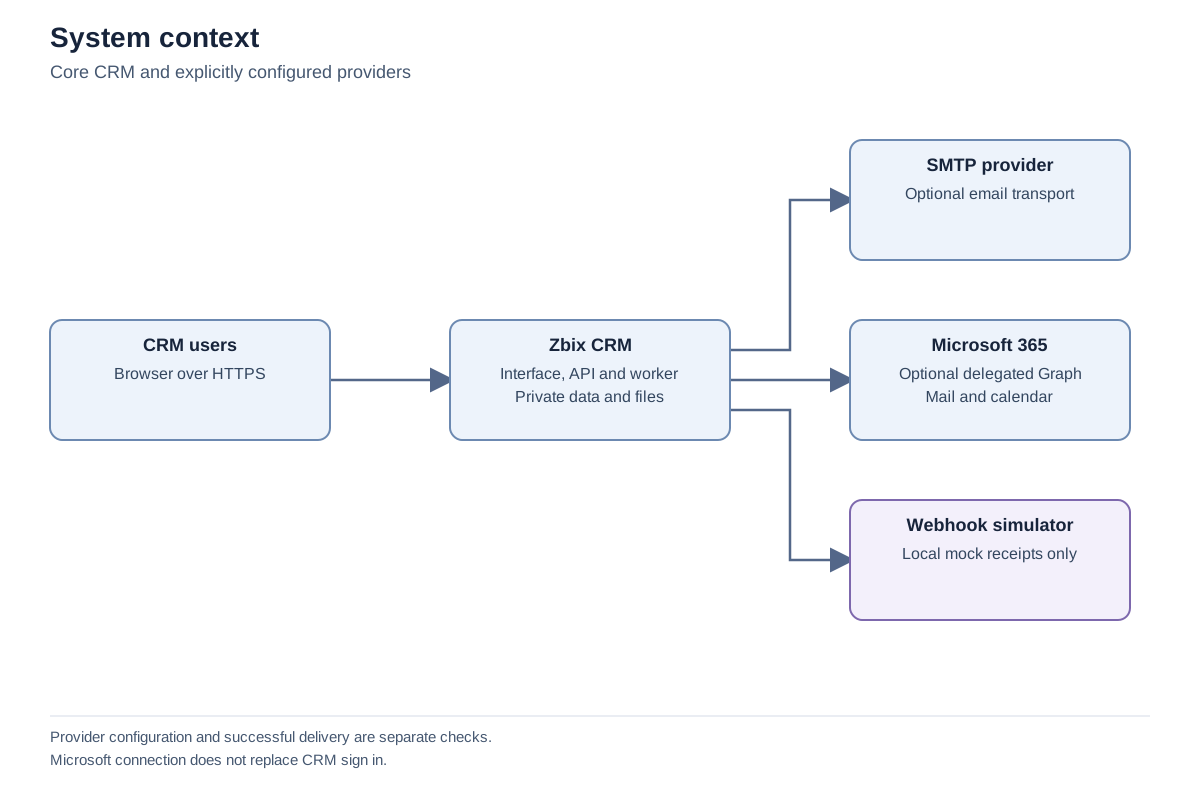
Important notes
Section titled “Important notes”-
Microsoft connection does not implement CRM single sign-on. CRM password/MFA authentication remains independent.
-
Graph and SMTP acceptance indicate submission to the provider, not recipient delivery.
-
No Gmail provider is established by this reviewed implementation.
-
Provider configuration and source code are not proof of customer-tenant acceptance. Qualify each intended connection with controlled test data and explicit authorization.
Troubleshooting
Section titled “Troubleshooting”-
A webhook says delivered but the receiver has no event: inspect the mode; mock delivery creates a local receipt only.
-
An API action is unavailable: confirm the endpoint belongs to the narrow bearer surface rather than the broader browser API.
Related articles
Section titled “Related articles”Search the guides or talk to the ZBIX team.


Software products, application engineering and IT services from Zbix Technologies.
Visit our company website ↗