Configure Pipelines and stages
Overview
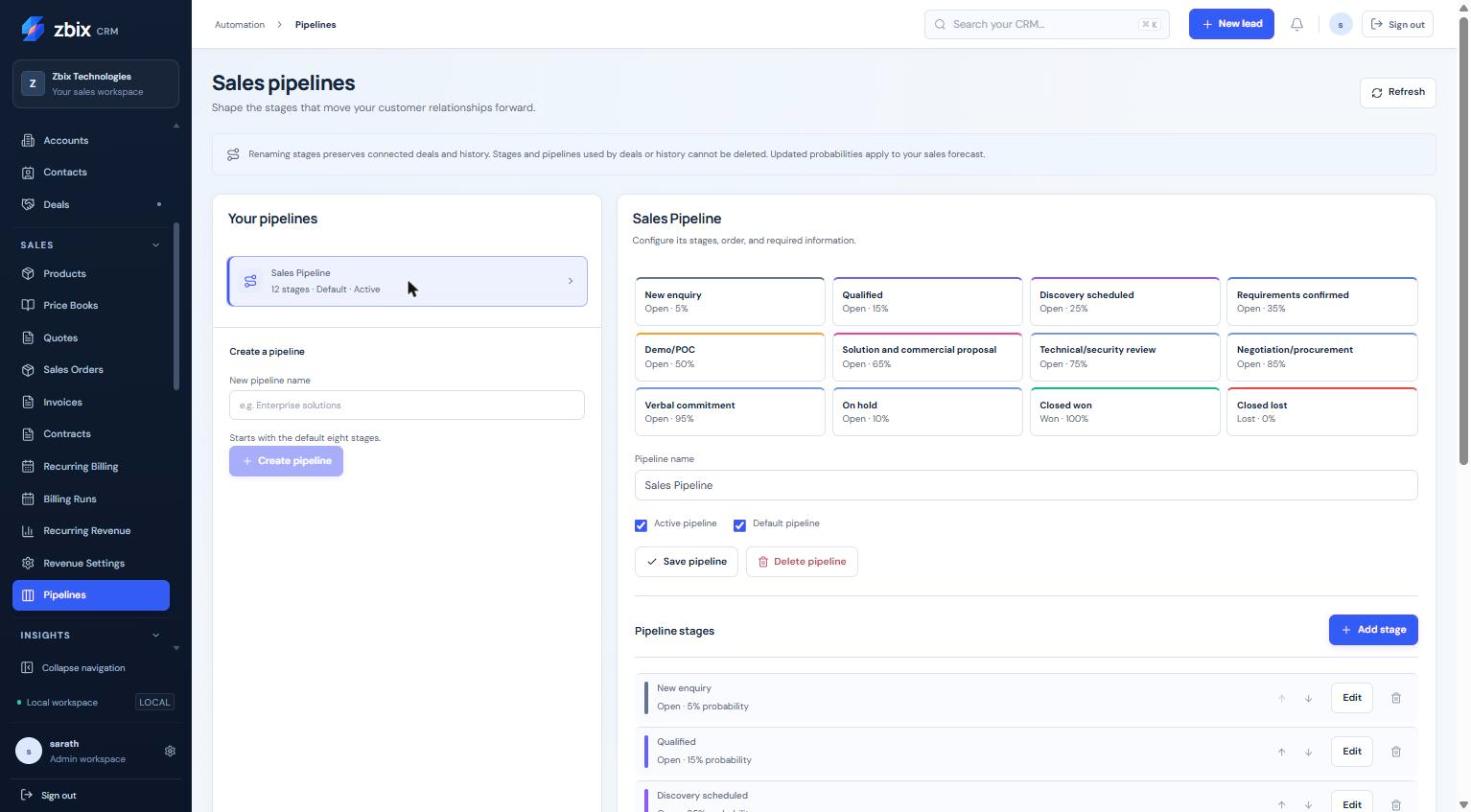
Section titled “Overview”Pipelines define the ordered stages used by Deals, including probabilities, open/won/lost kinds and information required on stage entry. The demonstration has 12 stages, while a newly created pipeline starts with the standard eight-stage set.
Purpose
Section titled “Purpose”Model the organization’s sales process and make forecast probabilities and required information consistent.
Prerequisites
Section titled “Prerequisites”-
Deal manage-settings permission.
-
An approved stage model and awareness of Deals already using the existing pipeline.
Procedure
Section titled “Procedure”-
Open Pipelines in the Sales sidebar, or use the Settings shortcut. In this release the breadcrumb reads Automation even though the sidebar placement is Sales.
-
Enter New pipeline name and select Create pipeline, or choose an existing pipeline from Your pipelines.
-
Review Pipeline name, Active pipeline and Default pipeline, then select Save pipeline. The default must remain active.
-
Select Add stage or Edit on an existing stage. Enter Stage name, Stage kind, Stage probability (%), color and active state.
-
Choose the required fields for stage entry: Account, Contact, Amount, expected close date, description, next action or won/lost reason as appropriate. Save the stage.
-
Use the move-up and move-down controls to arrange stages. Review the complete order and retain active open, won and lost stages.
-
Open a permitted Deal in a training/review context and verify the intended stage choices and requirements before adopting the revised process.
Expected result
Section titled “Expected result”Deals use stable configured stage identities, while reporting reads the stage kind and probability.
Screenshots and diagrams
Section titled “Screenshots and diagrams”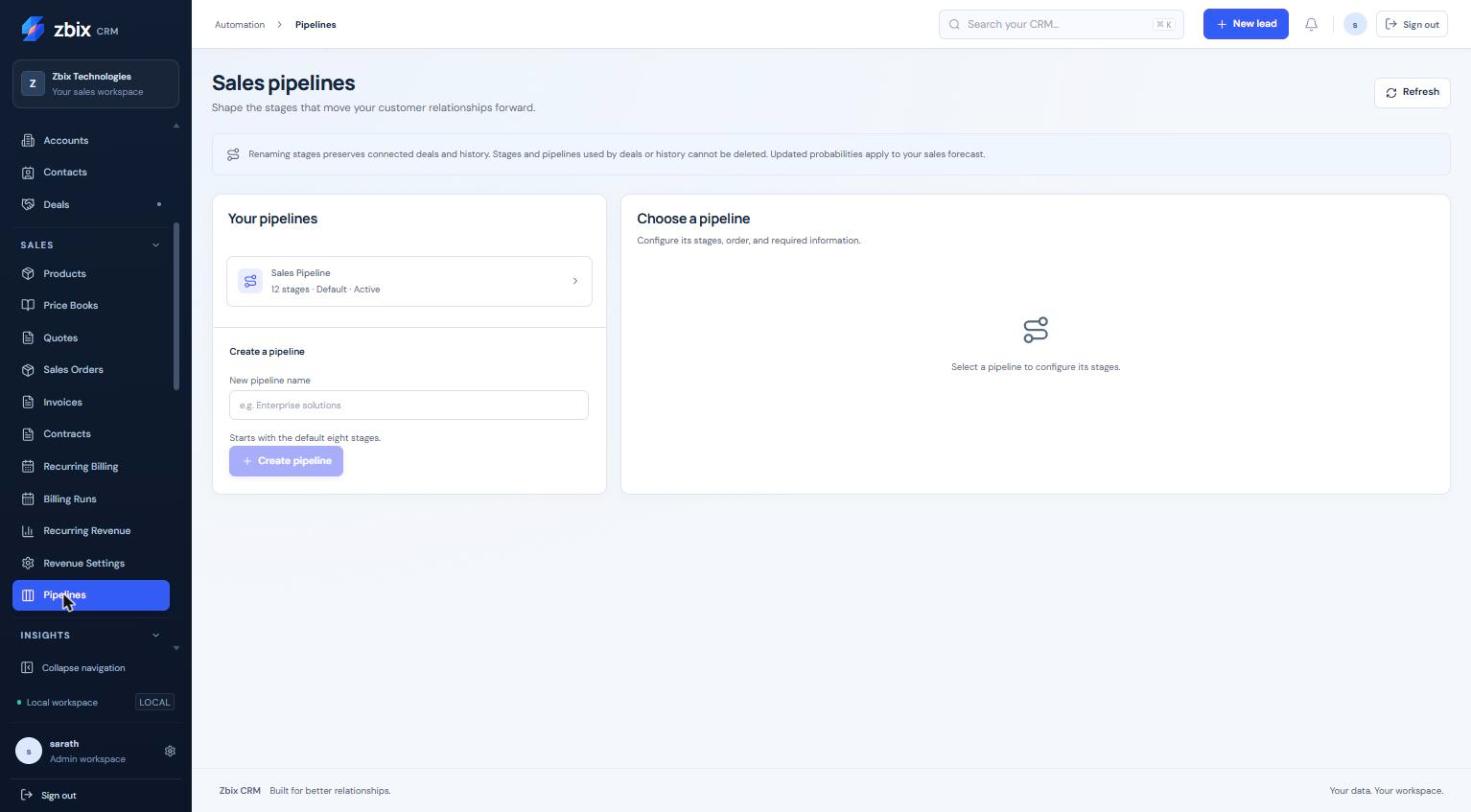
Important notes
Section titled “Important notes”-
Probabilities range from 0 to 100. Won stages use 100 and lost stages use 0. A pipeline supports at most 50 stages.
-
Referenced stages cannot be disabled or have their kind changed. Pipelines/stages used by Deals or history cannot be deleted.
-
Renaming preserves existing references and historical labels. Probability changes affect the current forecast.
-
A Blueprint may impose additional transition controls beyond these stage requirements.
Troubleshooting
Section titled “Troubleshooting”-
Cannot delete a stage: it may be referenced by a Deal or history; revise the process without removing that evidence.
-
Cannot save the structure: keep active open, won and lost stages and an active default pipeline.
-
Concurrent modification: refresh and review the latest stage order before retrying.
Related articles
Section titled “Related articles”Search the guides or talk to the ZBIX team.


Software products, application engineering and IT services from Zbix Technologies.
Visit our company website ↗