Revenue Settings
Overview
Section titled “Overview”Revenue Settings supplies defaults used when users configure new revenue plans and billing schedules. Defaults include timezone, due days, horizon, recurring interval, renewal length, notice days, invoice mode, timing and proration.
Purpose
Section titled “Purpose”Use this page to align new agreements with organization policy while retaining explicit agreement-level billing and renewal decisions.
Prerequisites
Section titled “Prerequisites”-
The user has Revenue Settings view and manage_settings rights.
-
Confirm the intended defaults and the recipients who should receive operational notices.
Procedure
Section titled “Procedure”-
Open Sales > Revenue Settings and review the current settings before editing.
-
Set Timezone, Due days, Horizon months, Interval months, Renewal months and Notice days.
-
Select Mode (draft, review or issue), Timing (advance or arrears), and Proration (actual days or none). Prefer the deliberate policy approved for new schedules.
-
Under Notification recipients, use Add notification recipient to select eligible users. Use Remove recipient to remove an additional recipient.
-
Select Save defaults and wait for Revenue defaults saved.
-
Create or configure a new plan/schedule and confirm that the defaults are appropriate for it. Review and explicitly authorize automatic renewal on the individual agreement when required.
Expected result
Section titled “Expected result”New configuration forms use the saved organization defaults; existing agreement and schedule decisions remain separately controlled.
Fields and controls
Section titled “Fields and controls”| Field or control | Rule |
|---|---|
| Timezone | Valid IANA timezone; default UTC |
| Due days | 0–365; default 30 |
| Horizon months | 3–36; default 12 |
| Interval months | 1–36; default 1 |
| Renewal months | 1–120; default 12 |
| Notice days | 0–365; default 30 |
| Mode | draft / review / issue; default draft |
| Timing | advance / arrears; default advance |
| Proration | actual_days / none; default actual_days |
Screenshots and diagrams
Section titled “Screenshots and diagrams”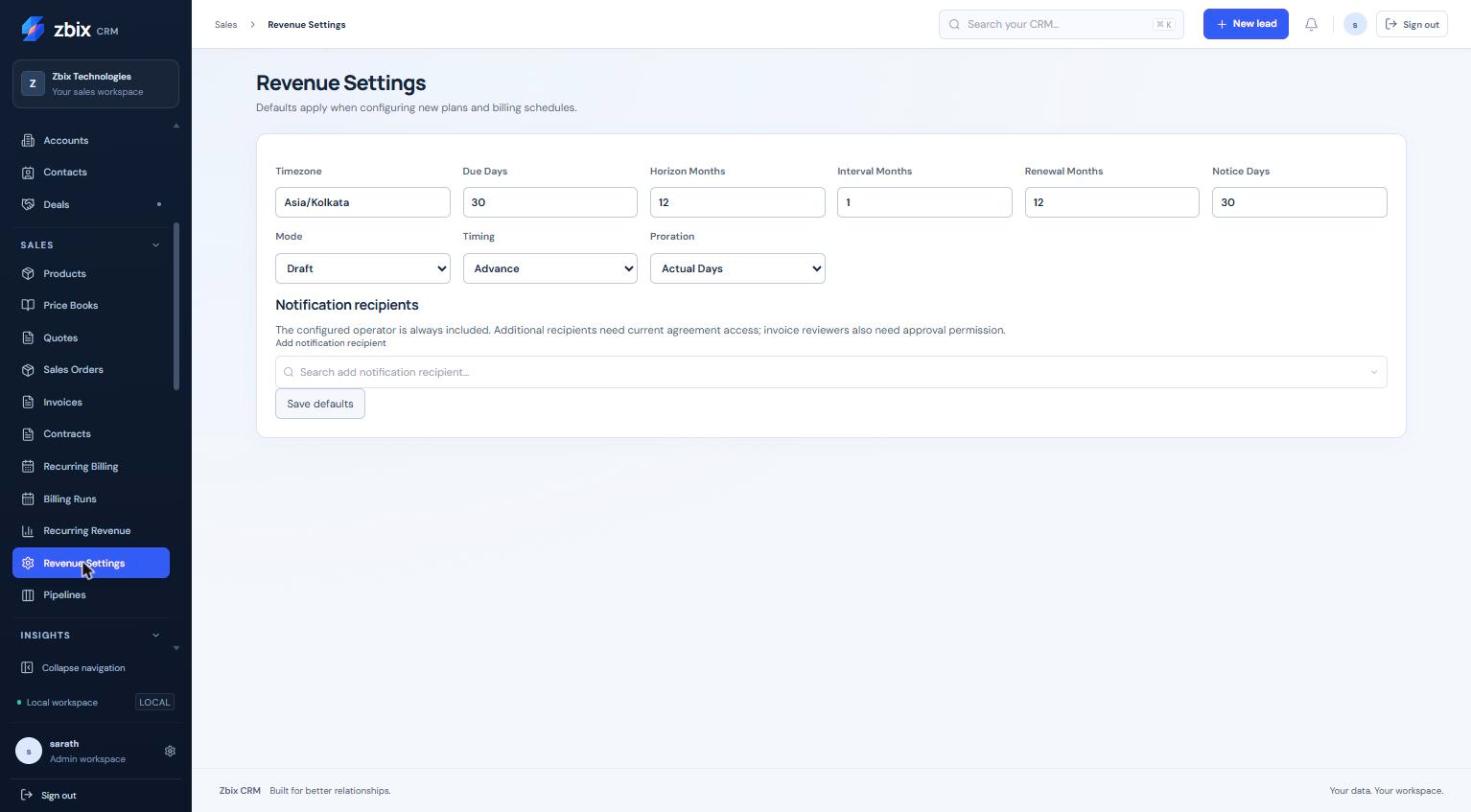
Important notes
Section titled “Important notes”-
The configured operator is always included in notifications. Additional recipients must have current agreement access, and invoice reviewers need approval permission.
-
Choosing a recipient does not grant access to a record or invoice.
-
Automatic renewal is an explicit agreement-level authorization; changing defaults does not substitute for it.
-
Currencies must be configured in commercial settings; entering a three-letter code alone does not make an unsupported currency valid.
-
Default invoice mode is draft. Selecting issue affects eligible schedule configuration and requires the necessary operator authority at execution.
-
Selecting issue as the default requires Invoice approve permission. Up to 20 distinct additional notification recipients are accepted.
Troubleshooting
Section titled “Troubleshooting”-
Save is unavailable: verify manage_settings on Revenue Settings.
-
A recipient is rejected: choose an active user in the same organization and remove duplicates.
-
Existing schedules differ from new defaults: review and update the intended schedule through its own authorized Billing controls rather than assuming a retroactive change.
Related articles
Section titled “Related articles”Search the guides or talk to the ZBIX team.


Software products, application engineering and IT services from Zbix Technologies.
Visit our company website ↗